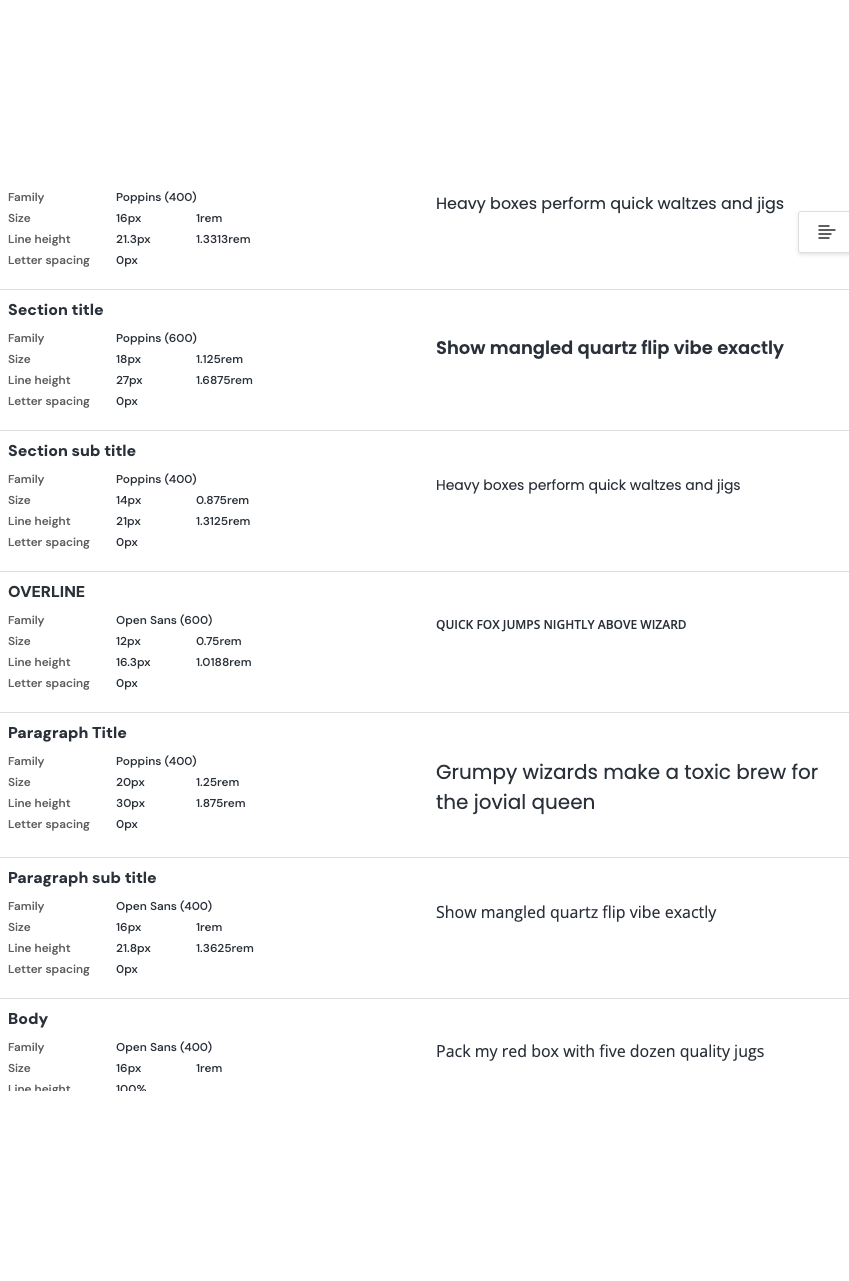
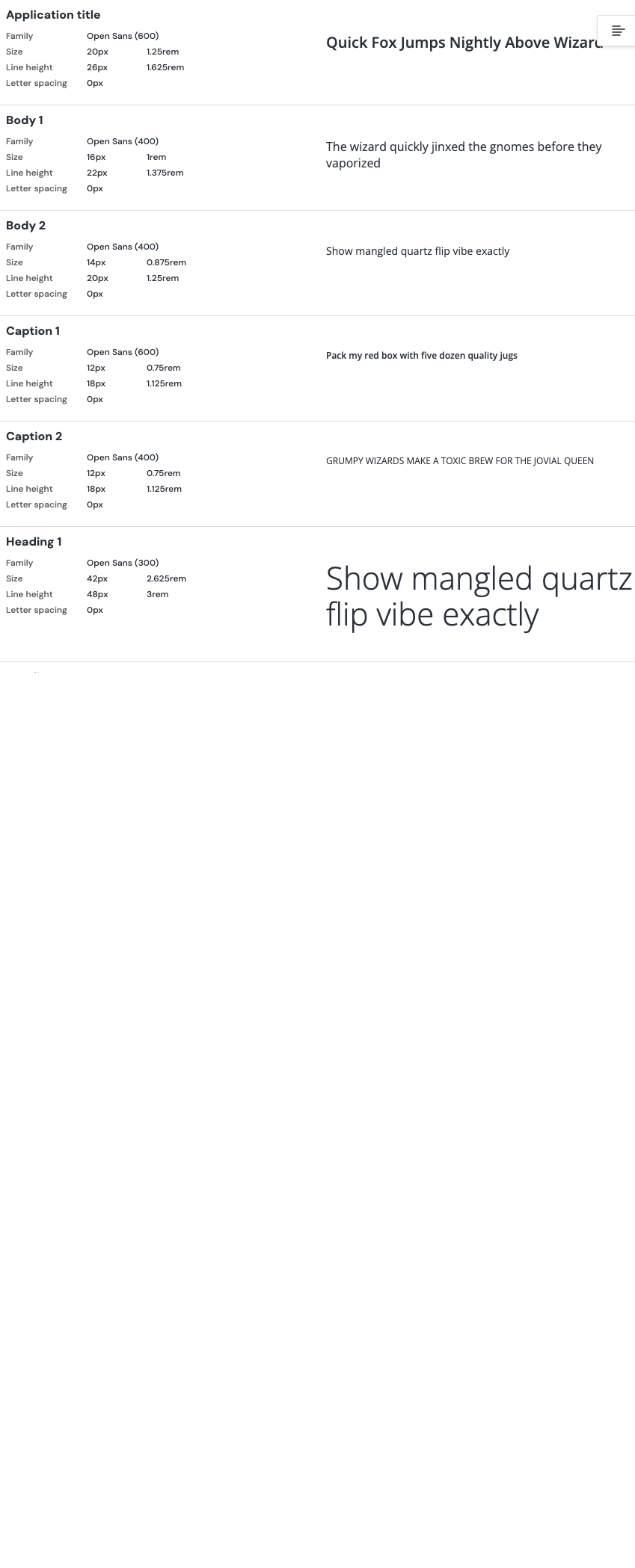
Use the following for styling general text:
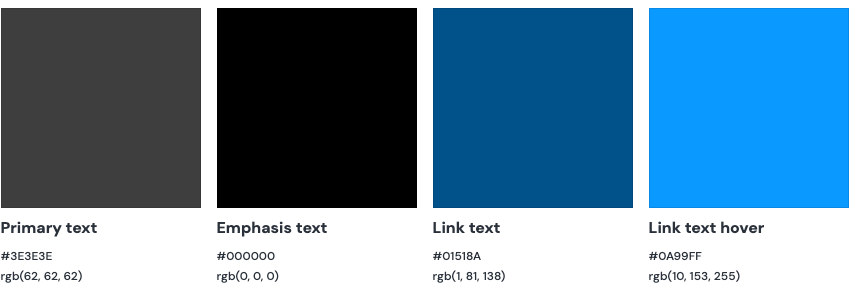
Other colours may be used for components, but care should be taken to preserve sufficient contrast with background colours.
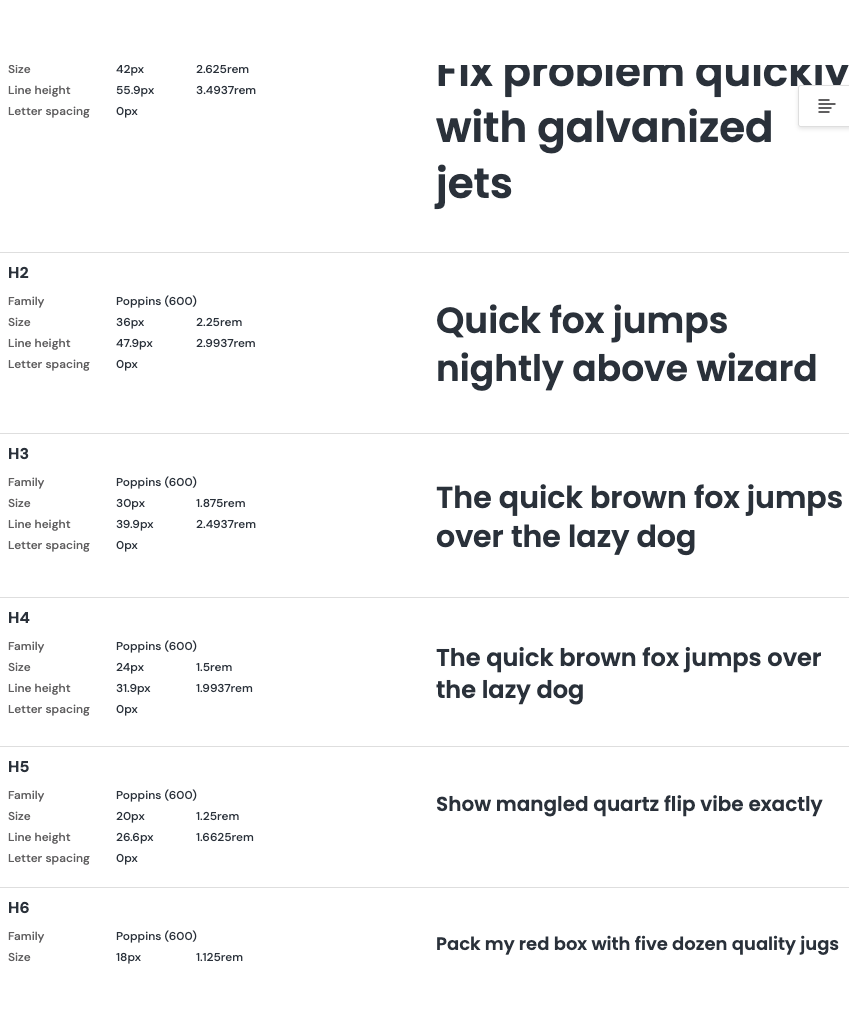
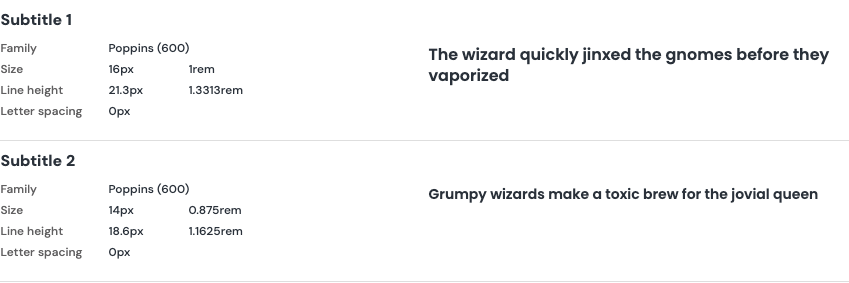
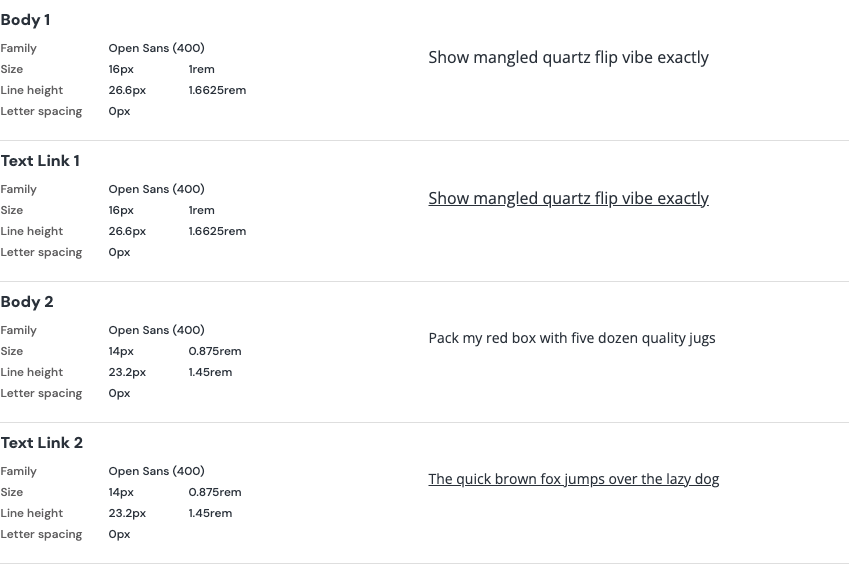


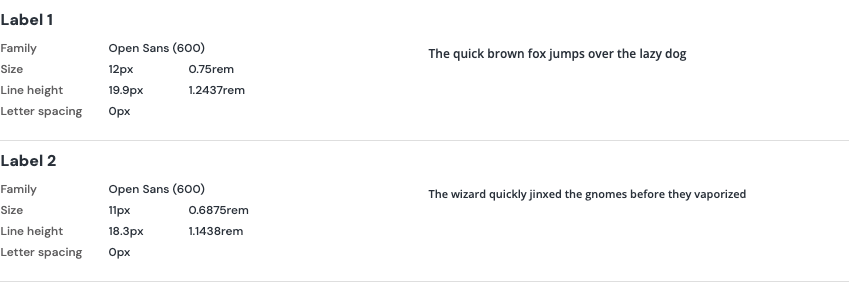
UL has standardized on the Open Sans font family for top level titles on web sites and applications. If Open Sans is unavailable, use Segoe UI or Helvetica Neue as a substitute. To include Open Sans from the Google Font repository, add this link to your document header:
<link rel="preconnect" href="https://fonts.gstatic.com">
      <link rel="preconnect" href="https://fonts.googleapis.com">
      <link href="https://fonts.googleapis.com/css?family=Open+Sans:400,600,700&display=swap" rel="stylesheet">
This example includes the font at 400 (normal) and 600 (semibold) weight. Find out more about this font and how to use it at Google Fonts.
In order to create a visual hierarchy and provide visual contrast and rest for the eyes, use Segoe UI or Helvetica Neue as the base body copy; these fonts will be available on the vast majority of operating systems and offer a variety of font weights and variants.
Note: Header font sizes are listed in rems to avoid unintended outcomes in nested elements, while .small is defined in ems in order to display relative to the size of the parent element. Carefully consider context and unintended consequences of nested elements when defining styles in ems and rems.
| Text element | Writing standard |
| Menu items | Title Case |
| Page titles | Title Case |
| Section headings | Sentence case |
| Link text | Sentence case |
| Body text | Sentence case |
| Buttons | Sentence case |
| Checkbox text | Sentence case |
| Combo box text | Sentence case |
| Error messages | Sentence case |
| Inline help | Sentence case |
| Field labels | Sentence case |
| Field validation messages | Sentence case |
| Icon names | Sentence case |
| Radio buttons | Sentence case (no ending punctuation) |
| Check box text | Sentence case (no ending punctuation) |
| Tooltips | Sentence case |
| Notifications | Sentence case |
| Table column heading | Sentence case |
| Tab labels | Sentence case |
| Product names | Title Case |
When using Title Case, do not capitalize:
- Articles — a, an, the, ...;
- Conjunctions — and, but, for, ...;
- Prepositions — at, by, from, ...;
- 'to' in an infinitive verb.
Set the body font size to 100%, which will respect individual users' text preferences.. Browsers typically default font size to 16 pixels; when your body copy is set to 100%, 1rem = 16px. If your design calls for 14px type as the base, you can specify individual elements (or "*") to 0.875rem. The majority of users will experience the site as designed. However, users who have set their default browser font size to 20px will have their preferences respected; those users will still see a larger font size, as .875 of 20 displays 17.5px.