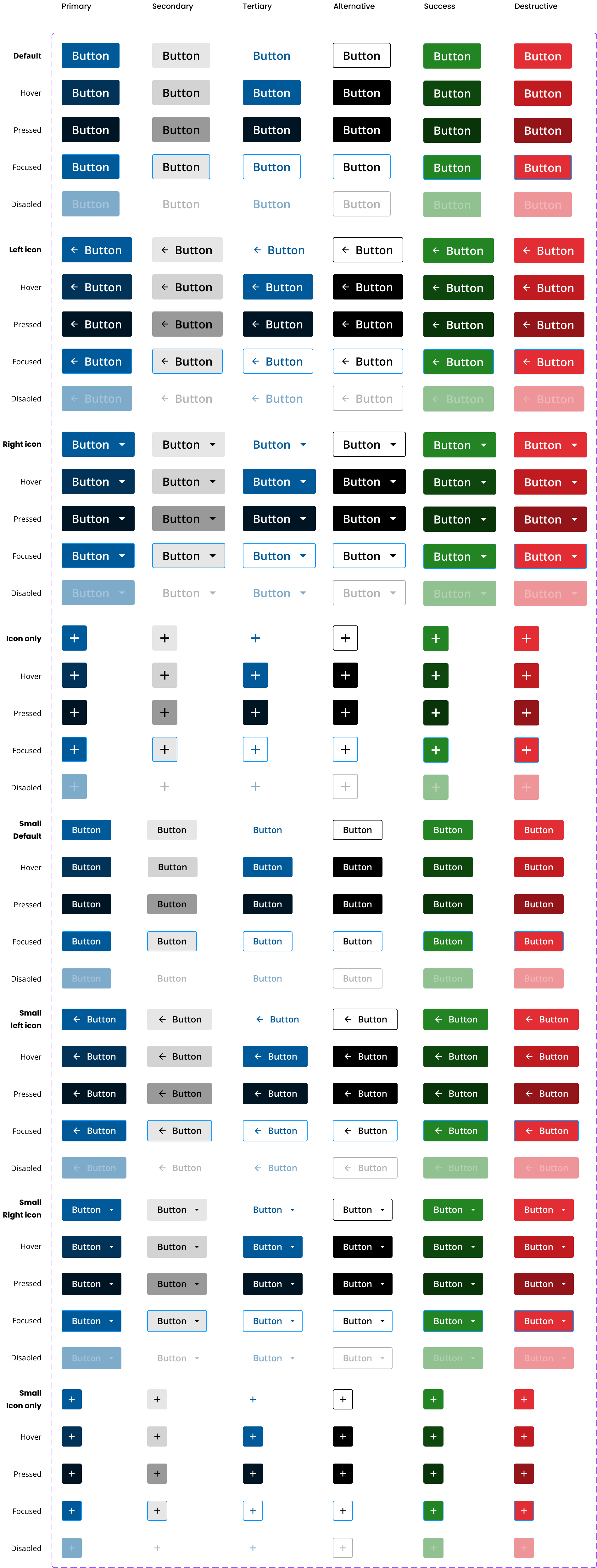
Buttons create an impact within their environment.
Links navigate to resources.

Elements may be styled to appear as either button or as links. Buttons have labels and icons while links are text only.
Style elements as a button:
When indicating persistence or as a step in a process leading to persistence:
- Save
- Next
- Back
- Submit (Create / Update)
- Delete
- Update
- Reset
- Any action that initiates a data transaction
When it behaves as a component in an application:
- Toolbar tool
- Pagination
When triggering any JavaScript function that does not use a URL;
When using icons to represent navigational elements:
- Hamburger menu
- Add icon
- Trash icon
- Dismiss button
- Collapse / expand
Style elements as a link:
Navigating to a new page that opens in the same window unless the destination is an external site or information may be lost by clicking on the link.
Navigating to a section on a page:
- Anchors
- Email links
- Right-click or 3D touch
Within forms:
- Cancel
- Forgot password
- Actions within tables (e.g. "Remove" link in a list, which performs a form submit)
- Any other action that does not initiate a data transaction (but rather navigates to a different resource).
Refer to the forms section for more guidelines on using buttons in forms.
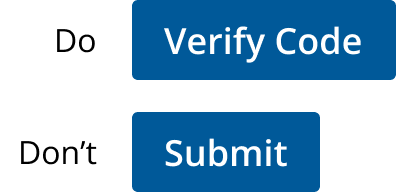
Button labels use sentence case and are as clear and short as possible.
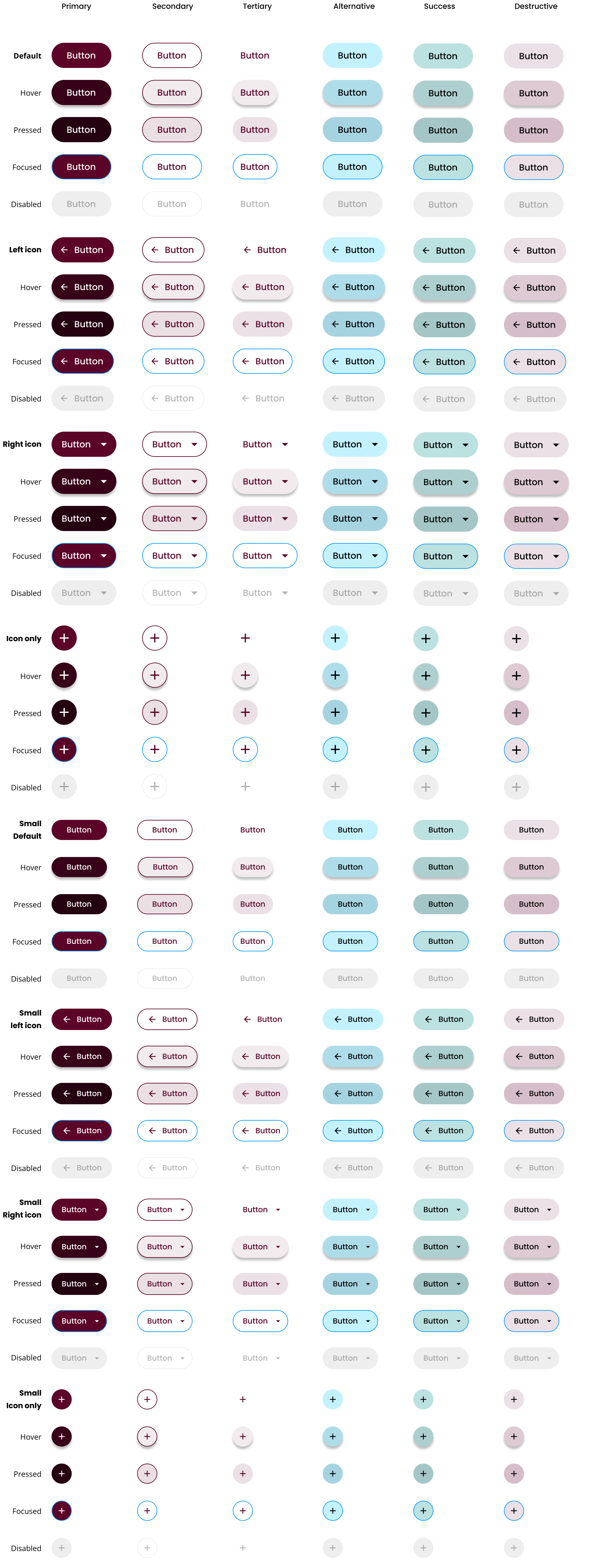
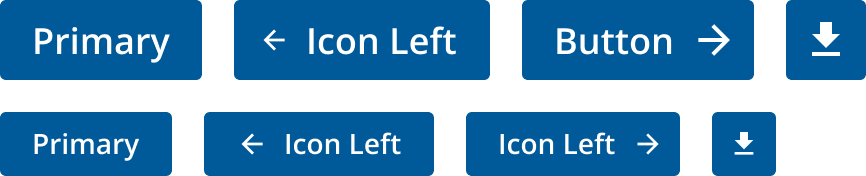
Two different color themes and sizes have been considered to accommodate public-facing enterprise sites like ul.com, and web applications that provide a service.
Application Theme
A vast majority of our products require users to stay logged in and be productive for large amounts of time, this is why a darker cooler theme is better suited to reduce cognitive stress on them, as well as free up the color red for important actions and notifications typically used in software and systems.
Enterprise Theme
UL's brand colors are energetic and impactful. As such, they are better suited for enterprise and marketing sites where they are quickly recognized and translated into our core principles.
Please refer to the typography section for how to differentiate between error alerts and links in forms using this theme.

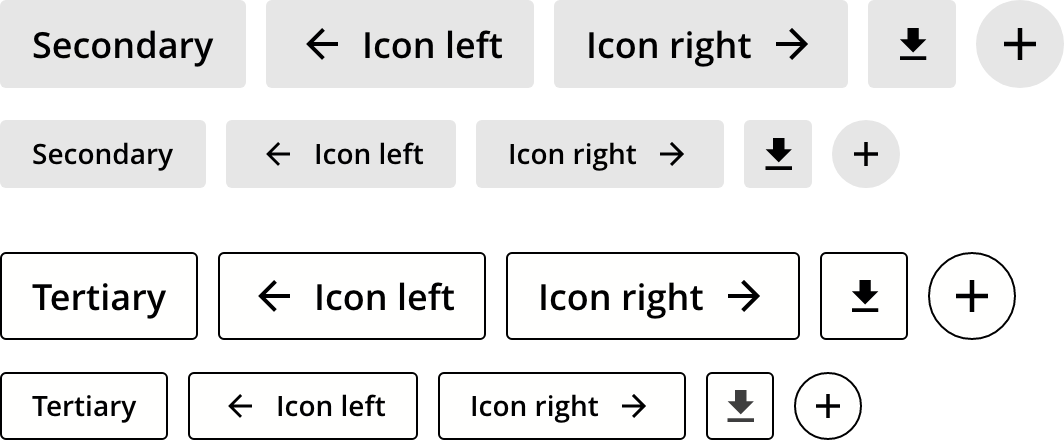
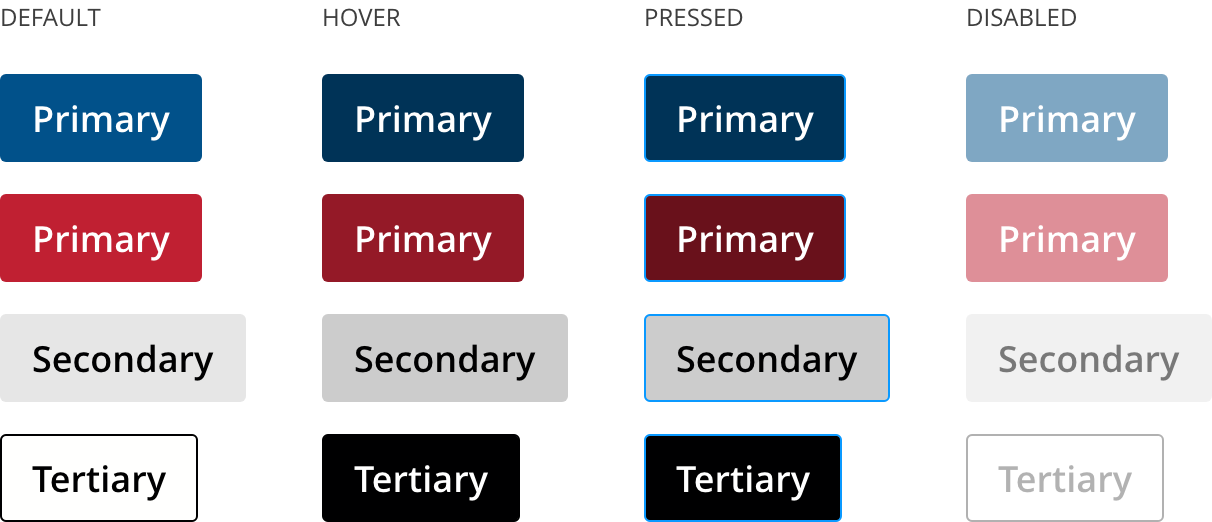
Disabled
Some buttons are not always available for use at all times. If the button is permanently unavailable then it should be removed from the interface, but if the button is only unavailable temporarily then disabling the button is appropriate.
Reasons for a button not being available could include (but are not limited to):
- The button acts upon a selection;
- The user does not have permission to use the button’s function [probably permanent];
- When the availability of a feature is a potential opportunity to up-sell the user to a higher level of service.
On desktop systems, it can be useful to provide a tooltip-like popup to explain why the button is not currently available.
When the action associated with a button is unavailable, the button has aria-disabled set to true.
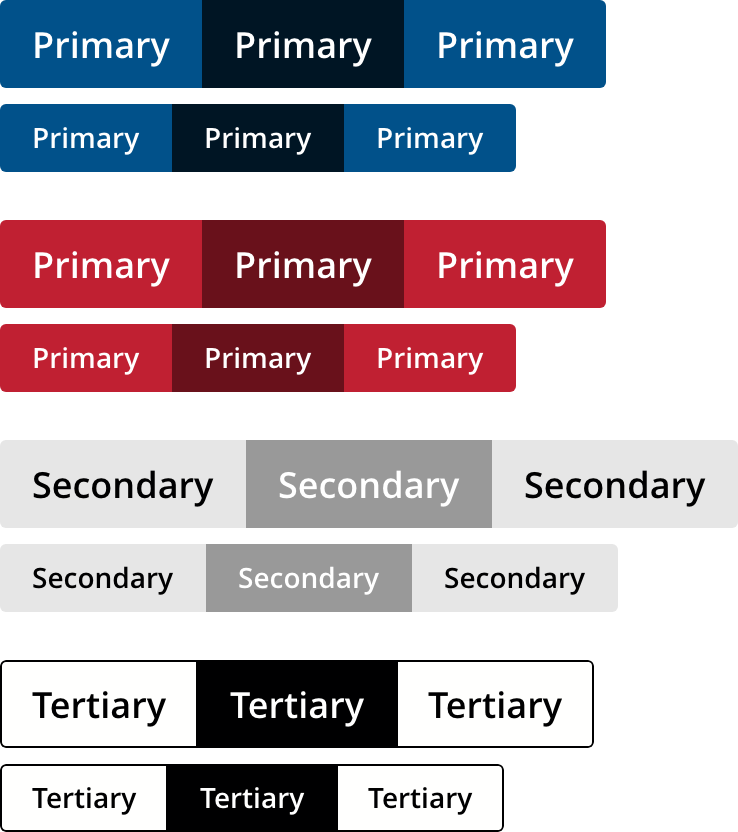
Button group
A button group is used when a moderate amount of actions are available and are usually exclusive in between them. For example:
- List visualization options where you toggle between a table and a card listing.
- Text align options where you choose between left, centered, right, and justified.
Always use the type="button" attribute-value to ensure a button does not inadvertently act as a form submit. Safari, Chrome and other browsers treat button elements as submit tags when nested in forms.
In some cases, it may be expedient to use neither anchor nor button tags as clickable navigation. Using div, img or span nodes as links should closely consider accessibility issues, taking all possible steps to accommodate assistive technology.
Primarily, includerole="button" or role="link" and ensure keyboard interaction works as expected (as they would with anchor and button tags). See the W3C authoring practices and examples for links and buttons for more details on supporting this type of code.
How to use buttons in forms
We would like to get your feedback. Tell us how you use this component in your projects and how we can improve it.