Add consistency to your application's navigation.
A layout is a structural template made up of elements that promote a consistent experience across websites and applications.
To choose the best layout:
- Understand how your application will be used.
- Organize the most important content by prioritizing it based on your use case.
- Use the sections of the layout to organize your content by groups.
- Set up your layout using the grid system.
In general, an application holds the following elements, in order:
- A header, which includes:
- The company logo.
- The product's name.
- Secondary navigation, which includes global navigation items and a profile icon.
- Primary navigation, which contains application-specific navigation items. It can be rendered horizontally or vertically through a sidebar.
- The main content area.
- A footer, which contains tertiary navigation items.
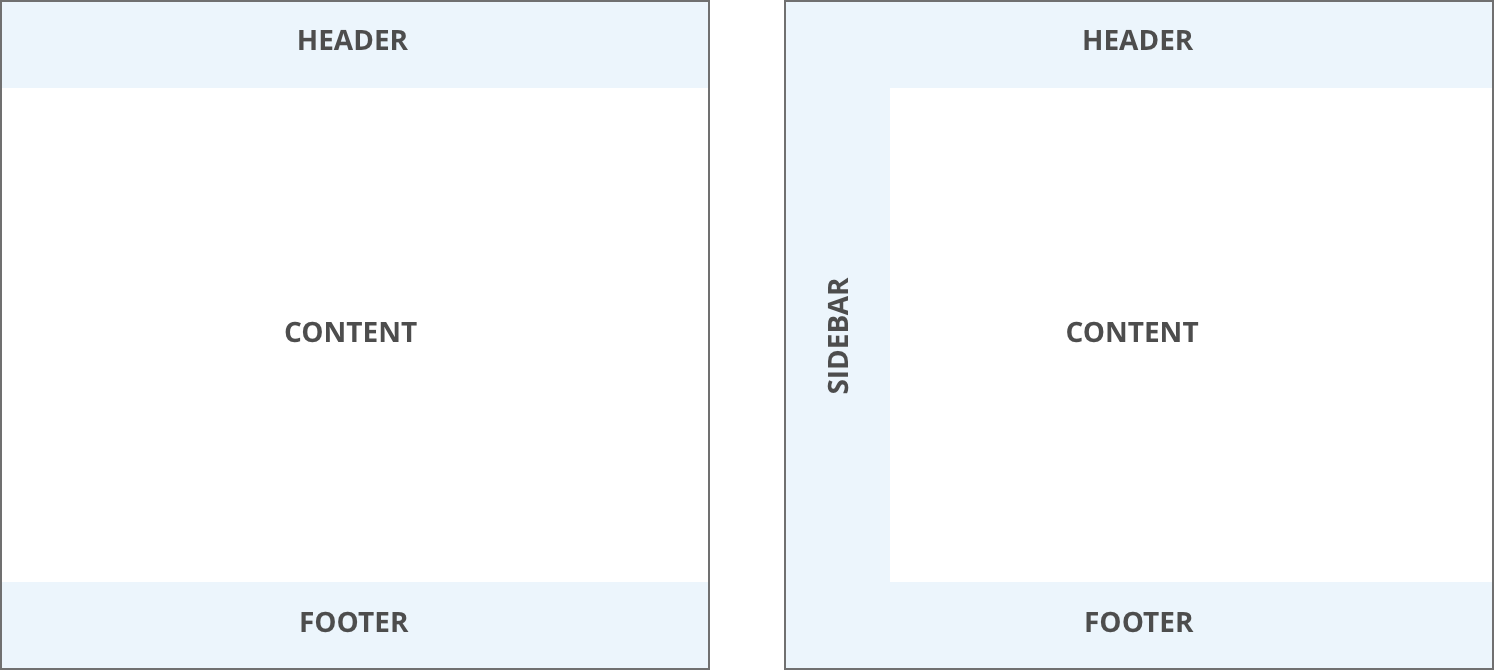
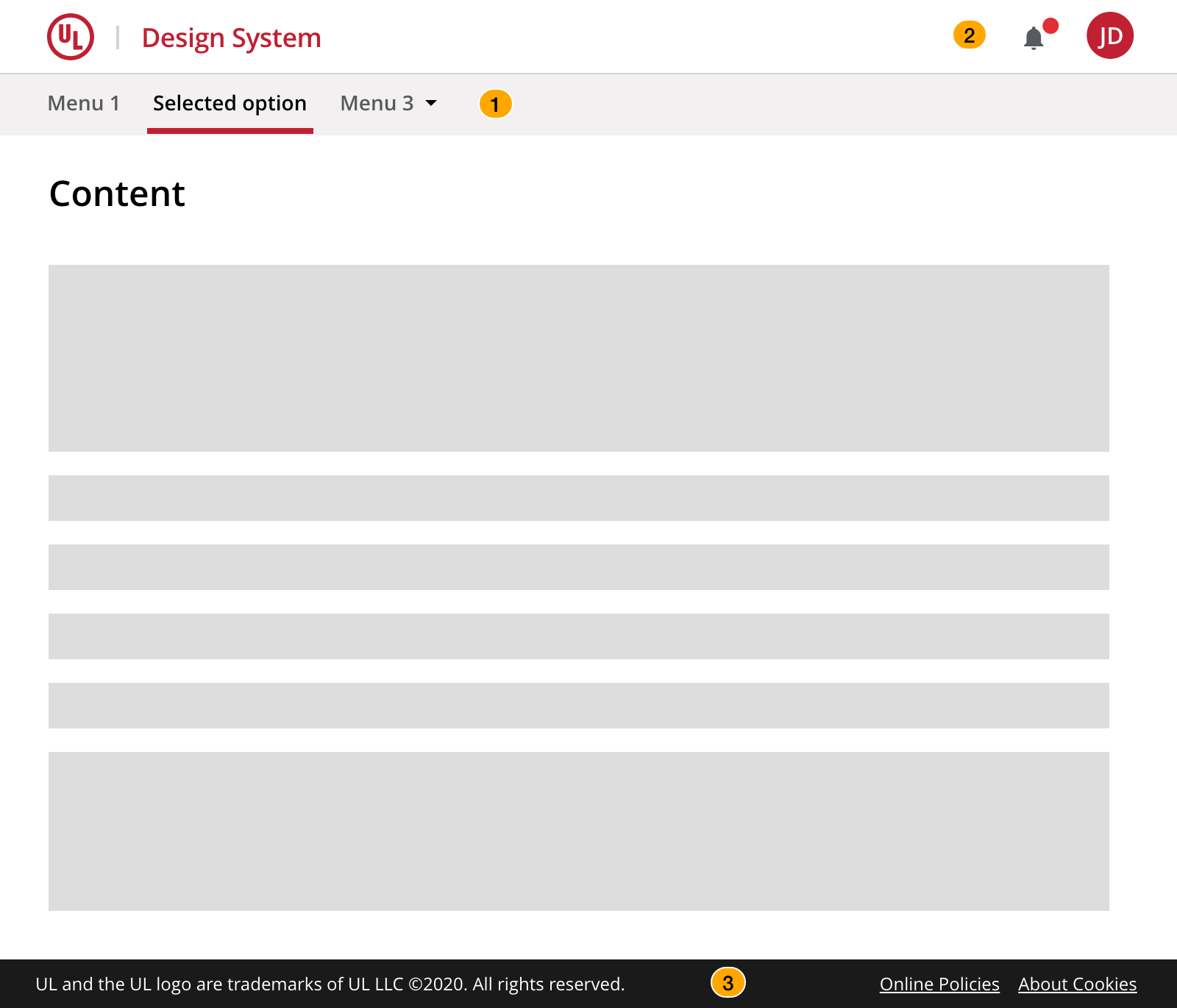
Prefer a header layout for applications with up to 6 primary navigation links and whose main content is center-aligned in a container.
- Primary navigation items
- Secondary navigation items
- Tertiary items
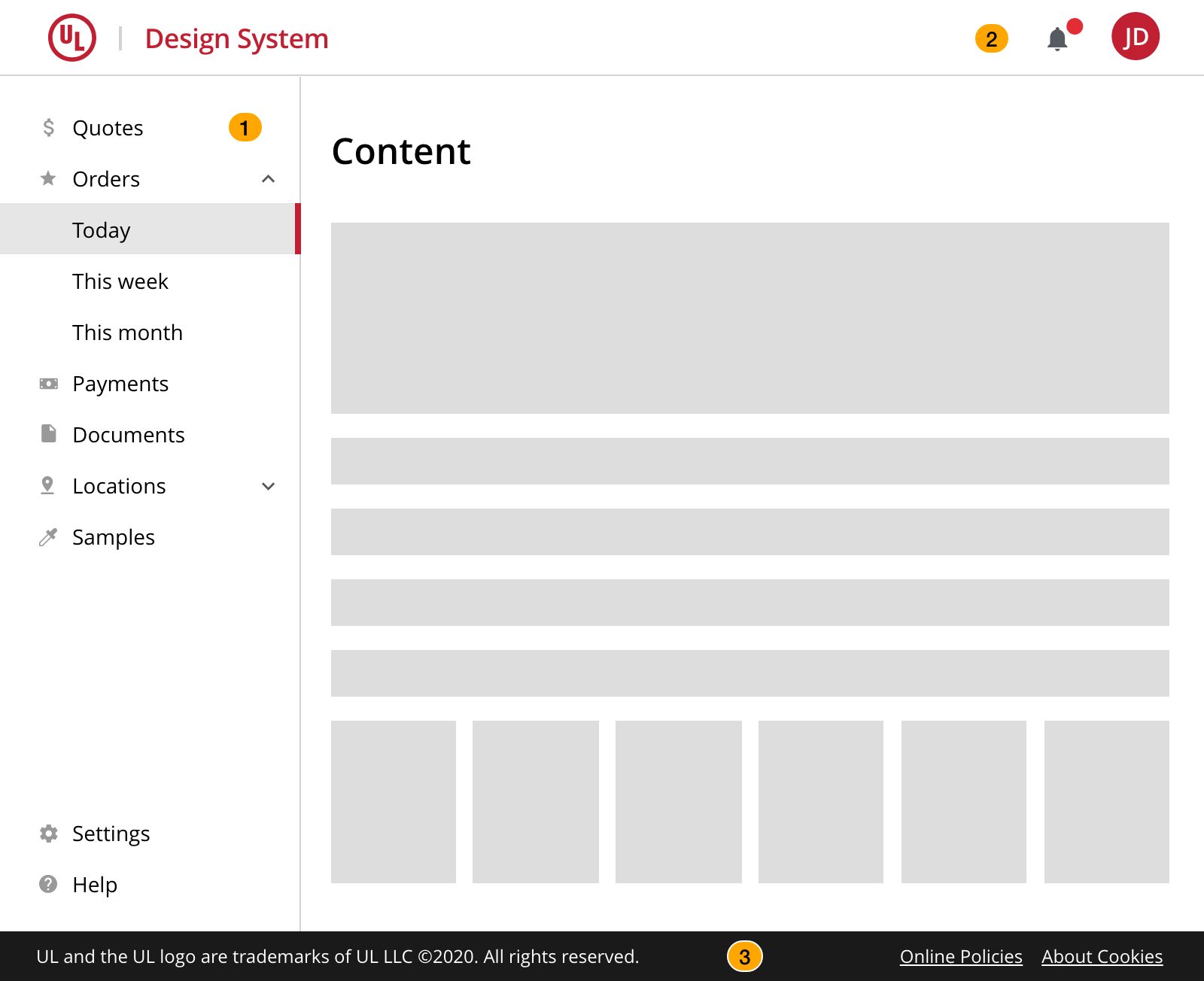
Prefer a static sidebar layout for applications with 7 or more primary navigation links and its main content is fluid (i.e., spans the whole width of the screen).
- Primary navigation items (static sidebar)
- Secondary navigation items
- Tertiary items
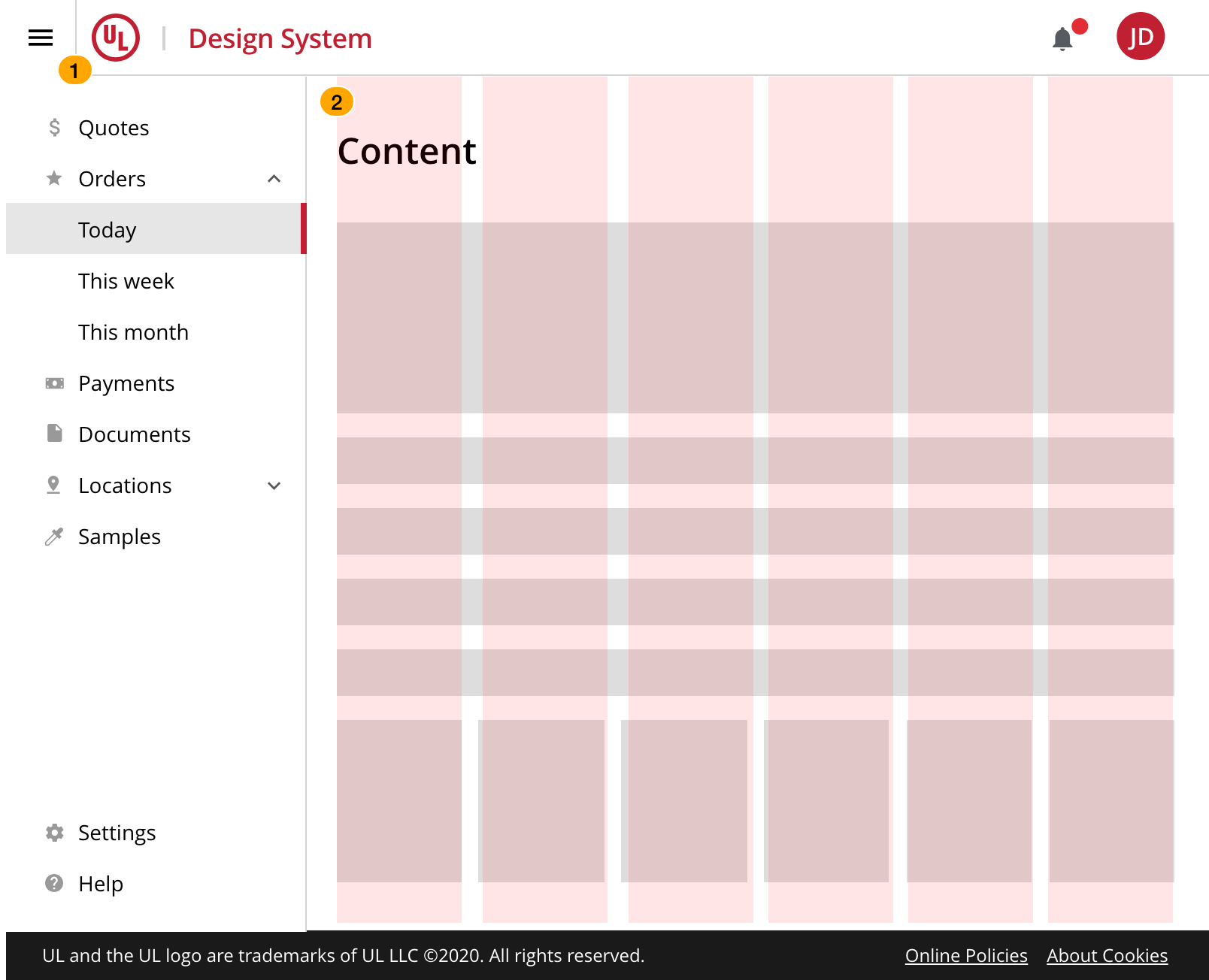
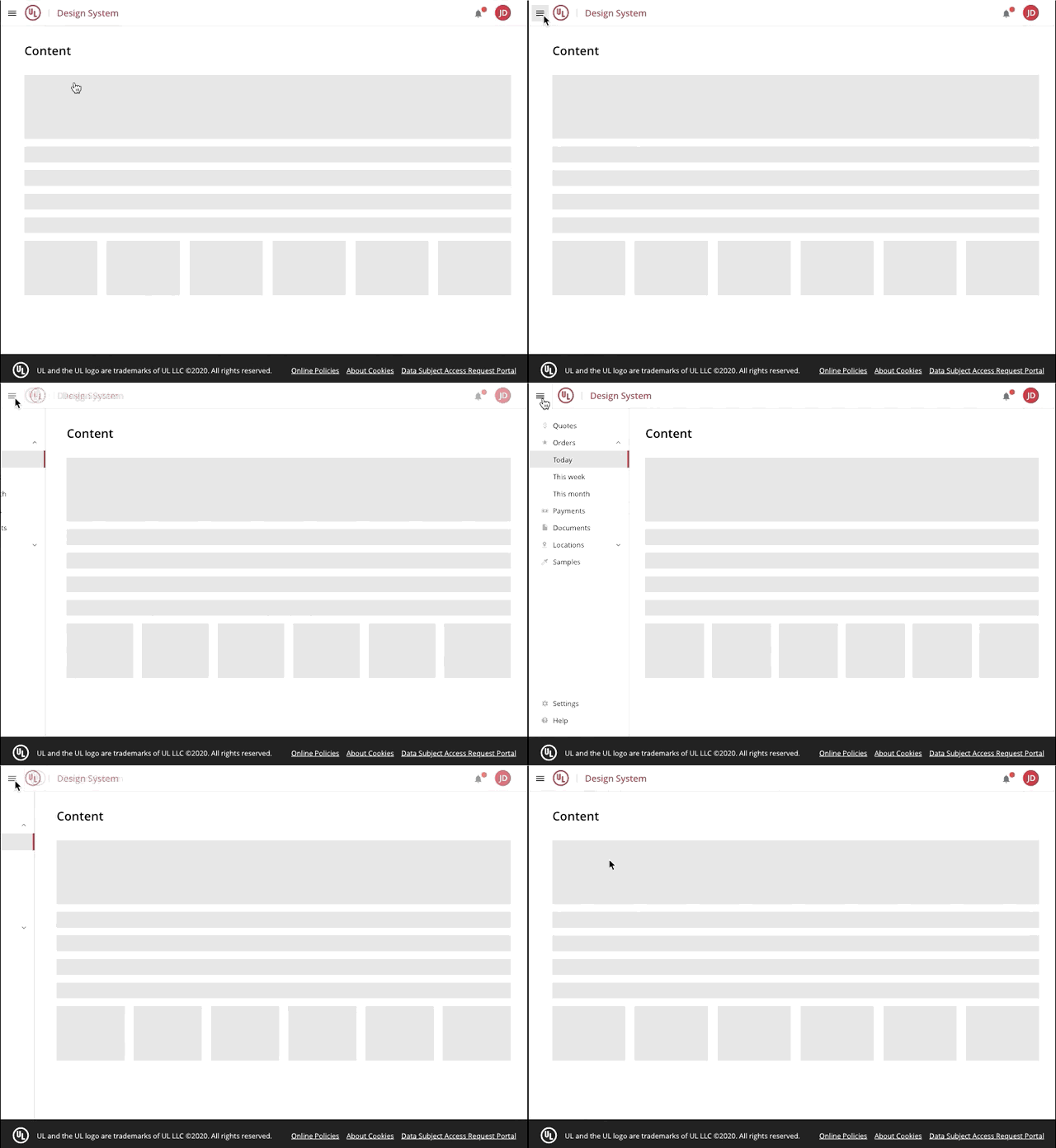
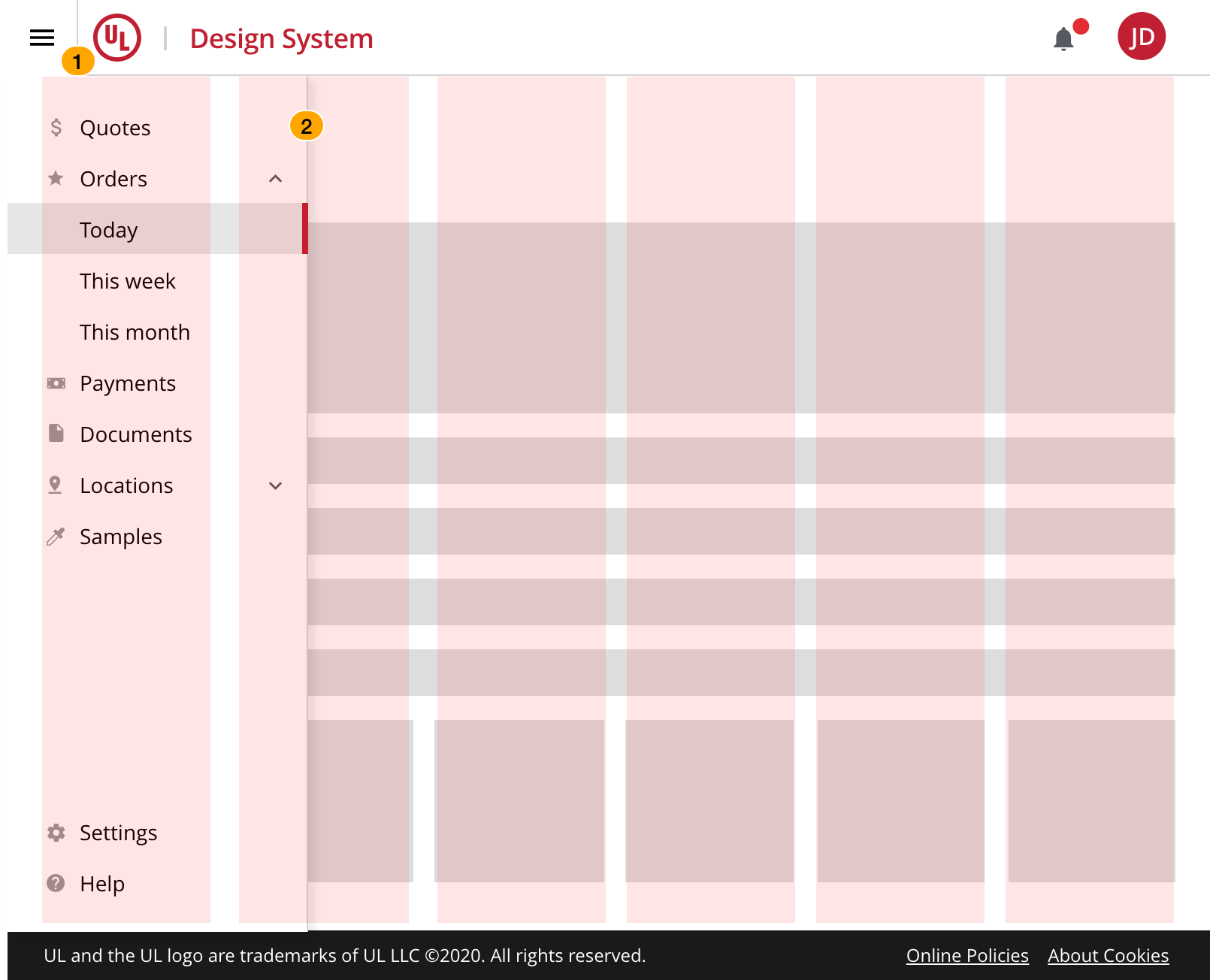
The persistent sidebar is an element that can be displayed or hidden with a collapsible control. When the sidebar appears, it condenses both the content and the grid.
This option is available only for smaller screens where the main content area's size can increase from collapsing the sidebar. Avoid automatically closing the sidebar when the screen size is adjusted, the sidebar should always remain expanded until the user decides to collapse it.
- Collapsible control
- Content and grid are condensed when the sidebar is expanded
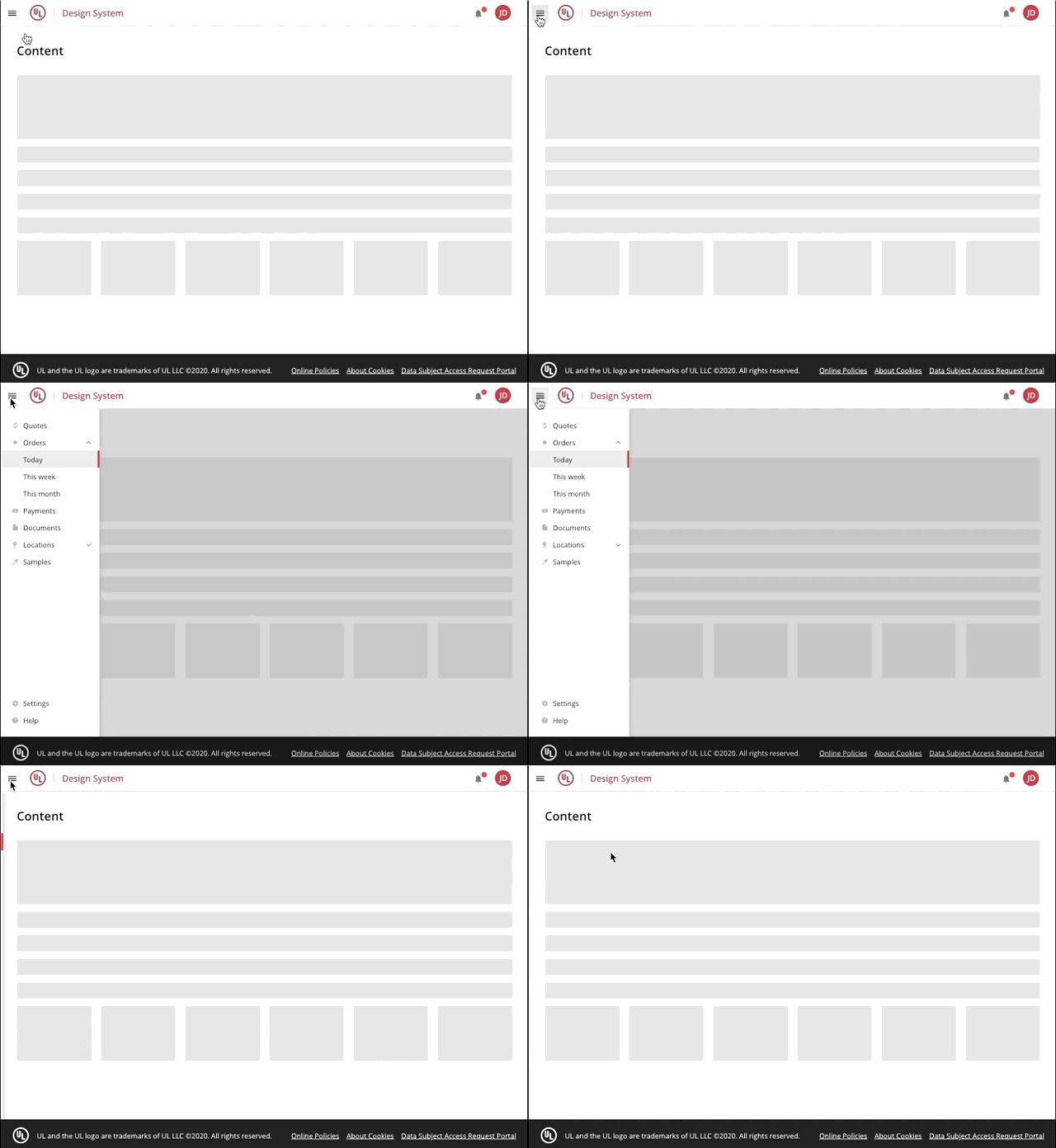
The temporary sidebar is an element that displays on top of the content. When it is visible, it can be dismissed with the collapsible control or by clicking outside its region.
This option is available only for smaller screens where the main content area's size can increase from collapsing the sidebar and only if your legacy pattern is the same. For new applications, the persistent sidebar layout is recommended.
- Collapsible control.
- The sidebar element overlays on top of the content and the grid.
The mobile layout can be used starting from the following breakpoints:
- 576px max – Small
- 768px max – Medium
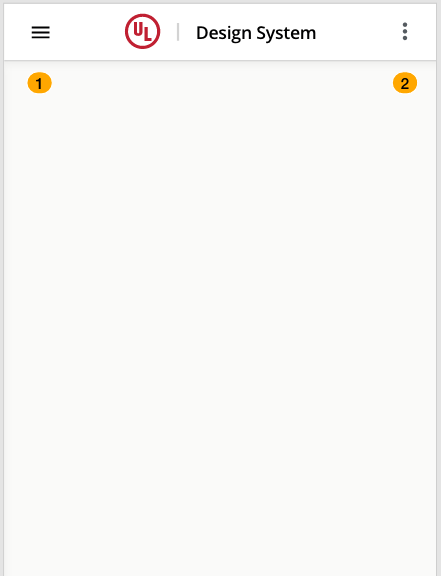
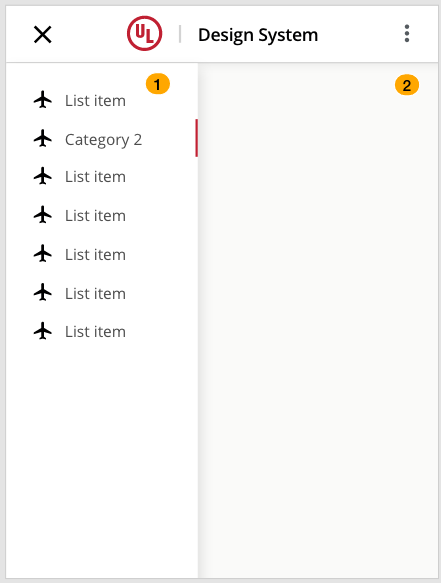
- Primary navigation expand/collapse control
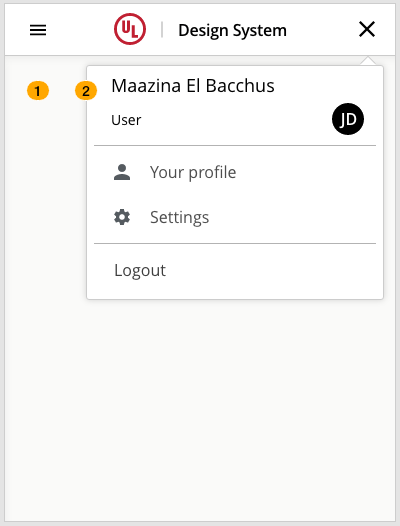
- Secondary navigation expand/collapse control
- Expanded sidebar
- Secondary navigation expand/collapse control
- Primary navigation expand/collapse control
- Expanded secondary menu
We would like to get your feedback. Tell us how you use this component in your projects and how we can improve it.