Navigate between related sections of content

Represent different views of a page.
Enable easy navigation between sections.
- Minimum of two (2) tabs
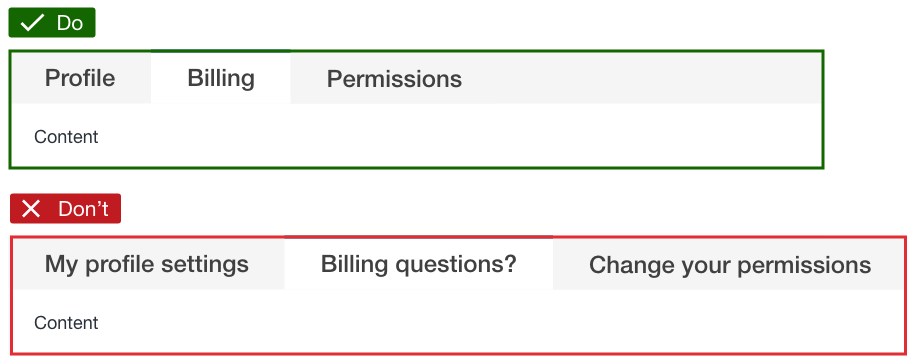
Limit to two words per tab (excluding prepositions).
Use descriptive labels, avoid questions or calls to action.
Implement at least two tabs; plan to avoid overwhelming users.
A minimum of two tabs is expected. While a maximum number of tabs is not enforced, it is recommended to plan them accordingly so that the experience doesn't become overwhelming.
Activate a view by clicking its tab; deactivate the previous tab.
Default load on the first tab's content.
Ensure distinct URLs for each tab when separating page content.
By default, the first tab's content is loaded.
If tabs are being used to separate content for a page, ensure each tab is represented with a distinct URL address.
| Name | HTML id | URL example |
| Overview | overview |
example.com/page#overview |
| Settings & security | settings-security |
example.com/page#settings-security |
| Other options | other-options |
example.com/page#other-options |
- Display a loading spinner when a tab is clicked until fully loaded.

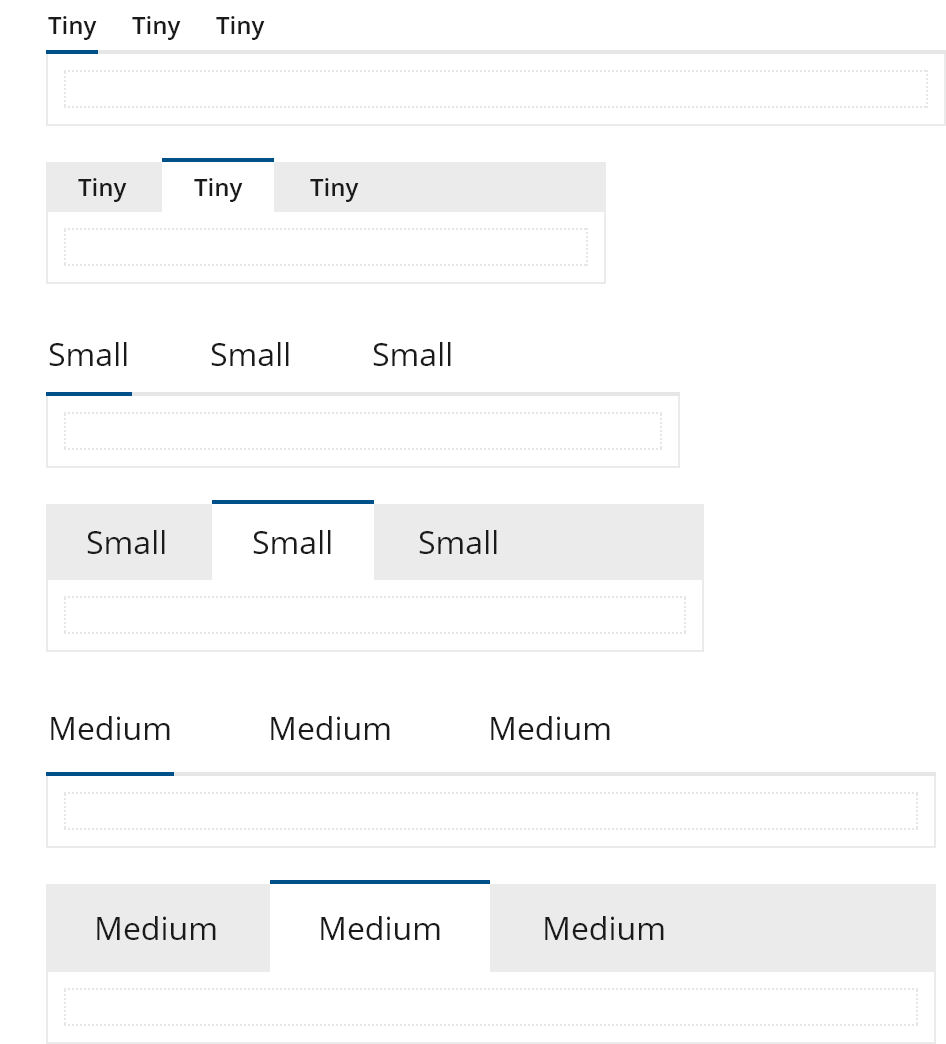
- Two styles: underlined and boxed.

- Prioritize important or frequently visited screens first.
Use ARIA tab roles.
Ensure keyboard navigation:
Right arrow: Select next tab.
Left arrow: Select previous tab.
Esc: Exit focus.
| Right arrow key | Left arrow key | Esc |
|---|---|---|
| Selects the next tab and displays the tab panel content | Selects the previous tab and displays tab panel content | Exit focus from the tabs |
Display all content on smaller devices if tabs present issues.
Use tab links as jump links for long content with a "Return to top" option.
We would like to get your feedback. Tell us how you use this component in your projects and how we can improve it.