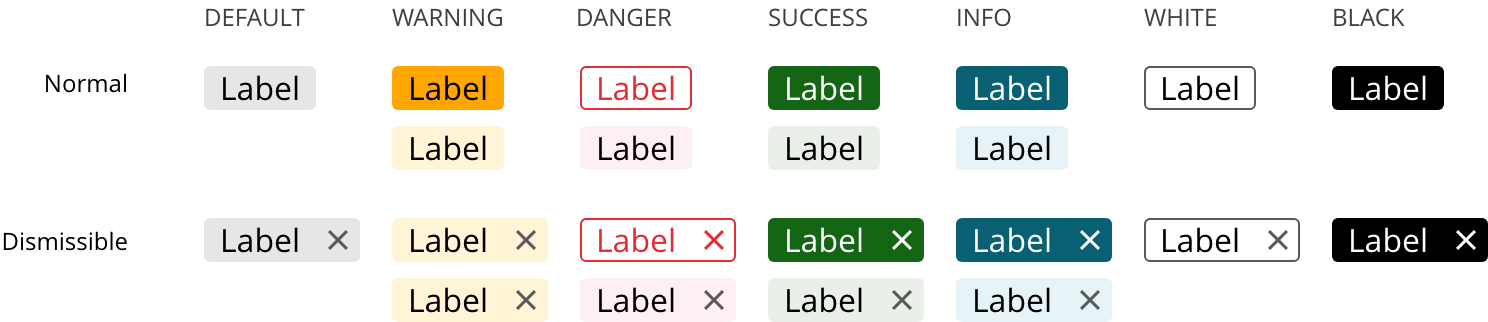
Showcase short metadata in a compact format.
Labels and badges both represent an important state of an entity: unread notifications, task statuses, approval stages, among others.
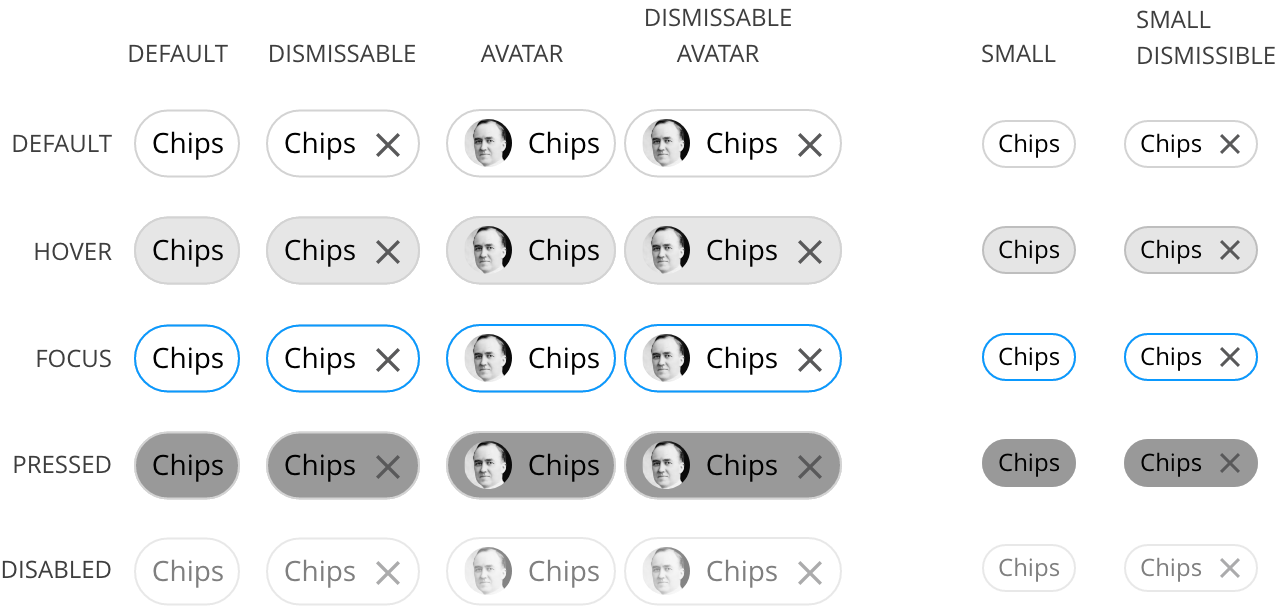
Chips allow users to compact entered information such as email addresses, make selections, display filters, or trigger actions.
- Place labels, badges, and chips as close to the related item as possible.
- Use the color system to properly convey meaning.
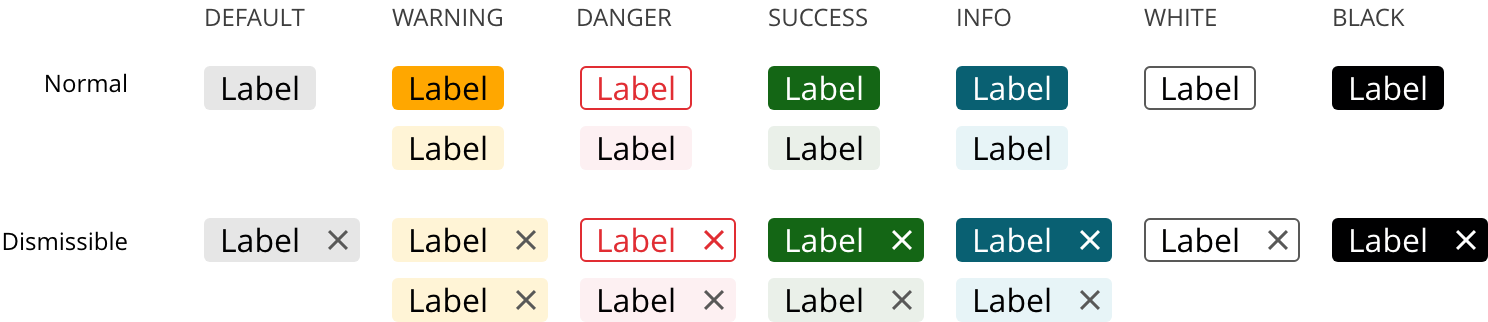
Labels
- Labels display short metadata.
- Use labels to draw attention to important attributes.
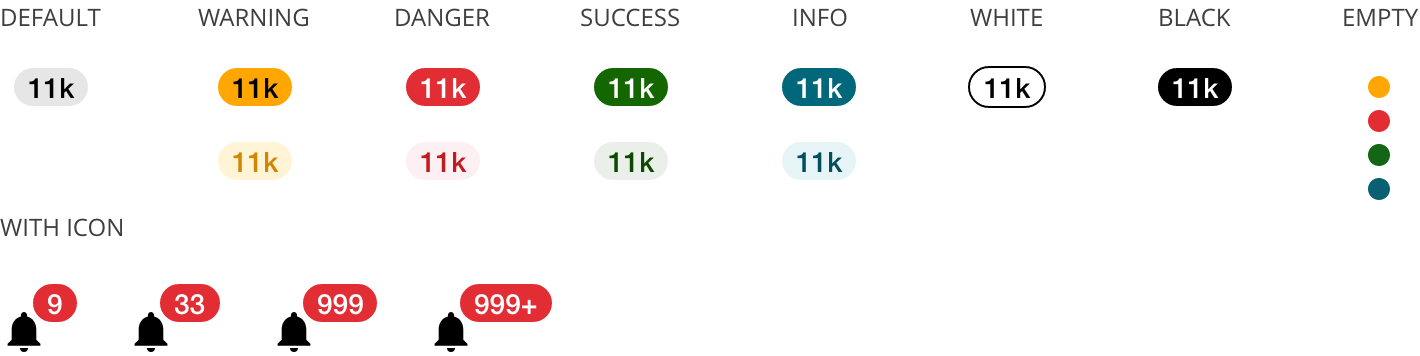
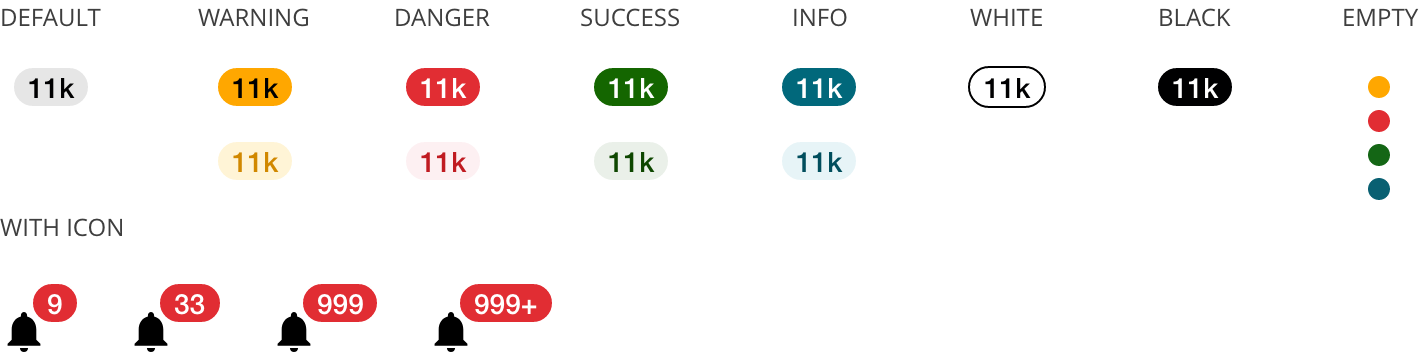
Badges
- Badges display a numerical value.
- Use badges to draw attention to events that the user hasn't taken action on.
- Use digits only up to 999. Display 999+ for 1,000 or more unread notifications (unlikely scenario).
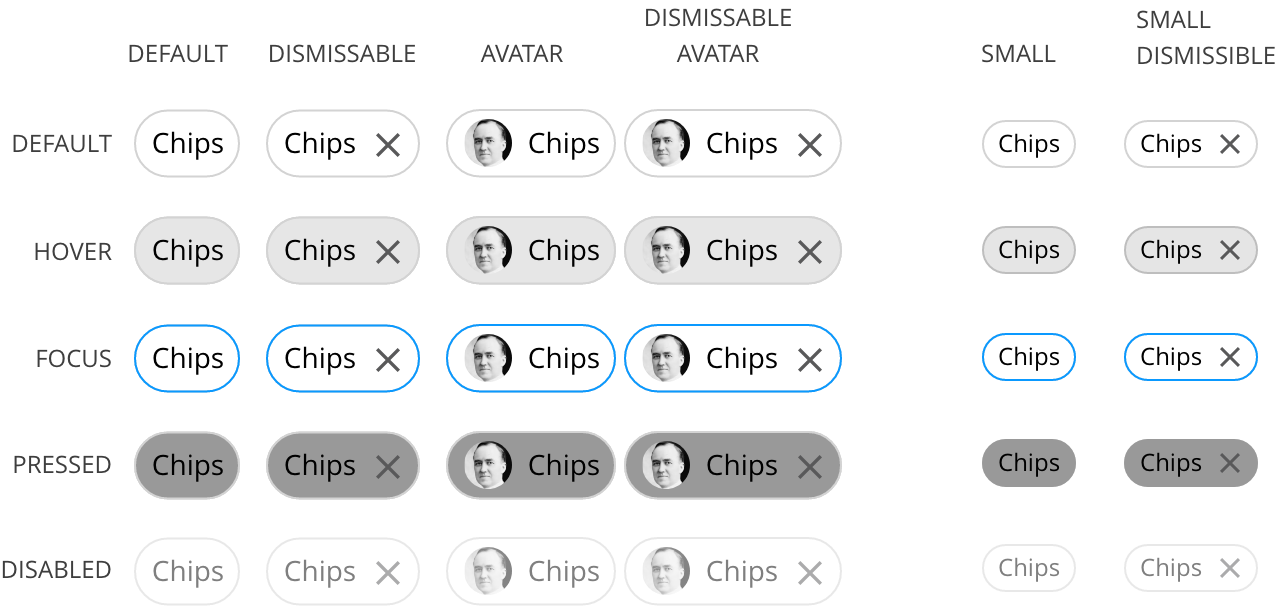
Chips
- Display a set of actionable options.
- Display filters.
- Trigger or dismiss the action within it.
- Labels and badges are informative, not actionable.
- Chips do not suggest an action, they display actionable options. If an object suggests an action, use a button instead.
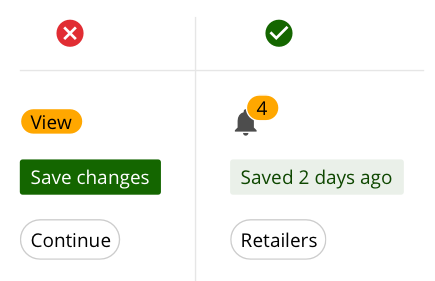
Labels** are concise yet clear. Avoid those that are too big and make it difficult to glance over.
Badges** call out unattended events in the context of an activity. It is adequate to include a number, a single symbol, or nothing at all, given that the shape and color already fulfill its main function; whatever figure is added should help complement the nature of the callout.
Chips** present options or condense information like email addresses.
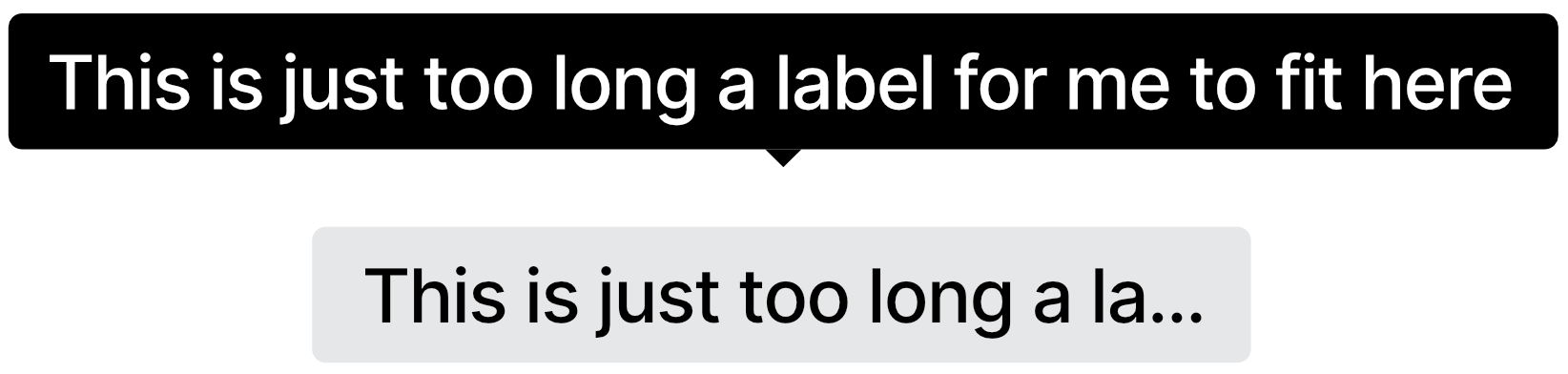
Always try to make labels, badges and chips clear. If a label isn't clear enough, a tooltip might be added to clarify the meaning of that label.
Refer to the appropriate section on Color System.
Use a dismissable label if it is susceptible to be removed — perhaps from a list. The whole label should be the click target.
Chips


If a label or a chip is over 20 characters long, it is advised to truncate it with an ellipsis and provide a tooltip with the full label name.
- Do not use labels as buttons.
- Place labels close to related items.
- Use the established color system to convey the proper status or importance.
- Always use short, scannable text for labels.
The use of color only provides a visual indication that is not conveyed by screen readers. Information denoted by color should either be obvious from the context or included through the use of a hidden text class like.sr-only .
The accessible text that will be read by screen readers in a label should always include context. User "3 notifications" instead of just "3".
We would like to get your feedback. Tell us how you use this component in your projects and how we can improve it.