Buttons create an impact within their environment.
Links navigate to resources.

Elements may be styled to appear as either button or as links. Buttons have labels and icons while links are text only.
- Style elements as buttons or links.
- Buttons have labels and icons.
- Links are underlined text only.
- Style as Button:
- Indicate persistence or process steps: Save, Next, Submit.
- Trigger JavaScript functions without URLs.
- Use icons for navigation: Hamburger, Add, Trash.
- Style as Link:
- Navigate to new pages or sections.
- Use within forms for non-transaction actions: Cancel, Forgot password.
- Use buttons for actions initiating data transactions.
- Use links for navigation without data transactions.
- Avoid buttons for simple navigation.
- Avoid links for actions requiring data persistence.
- Writing & Tone:
- Use sentence case.
- Start with a verb.
- Be clear and concise.
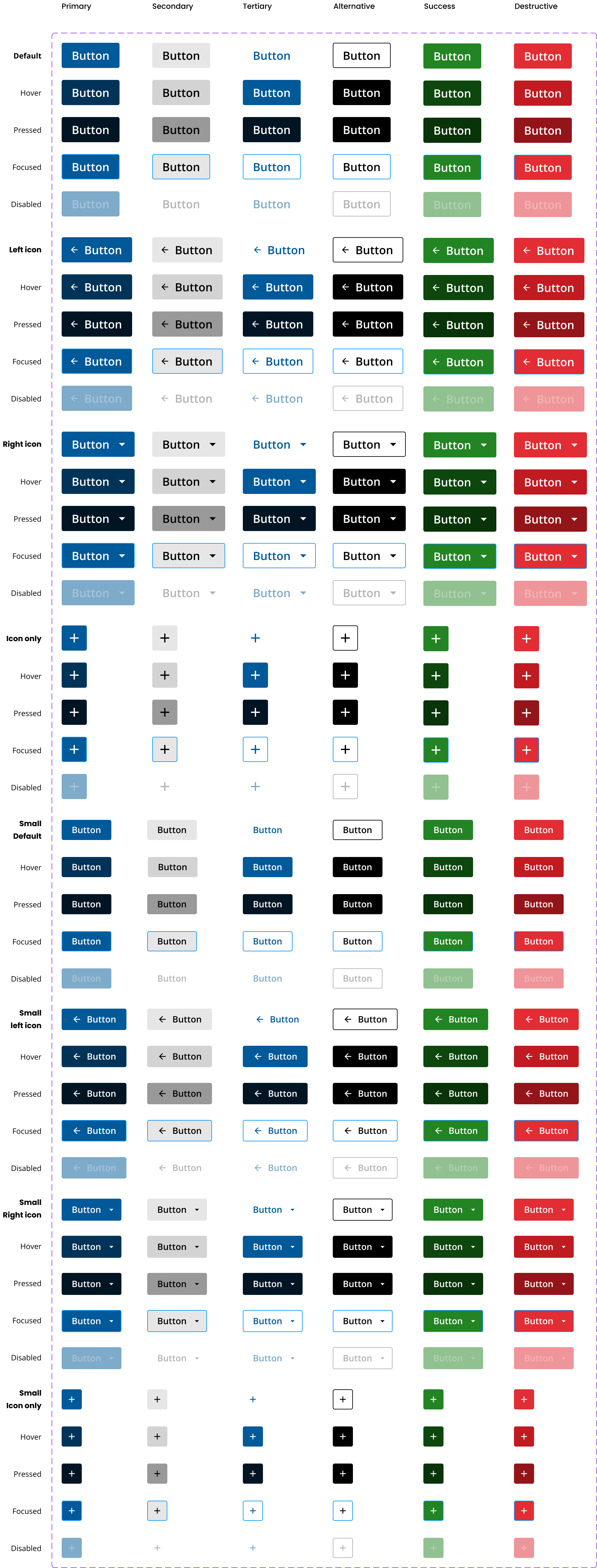
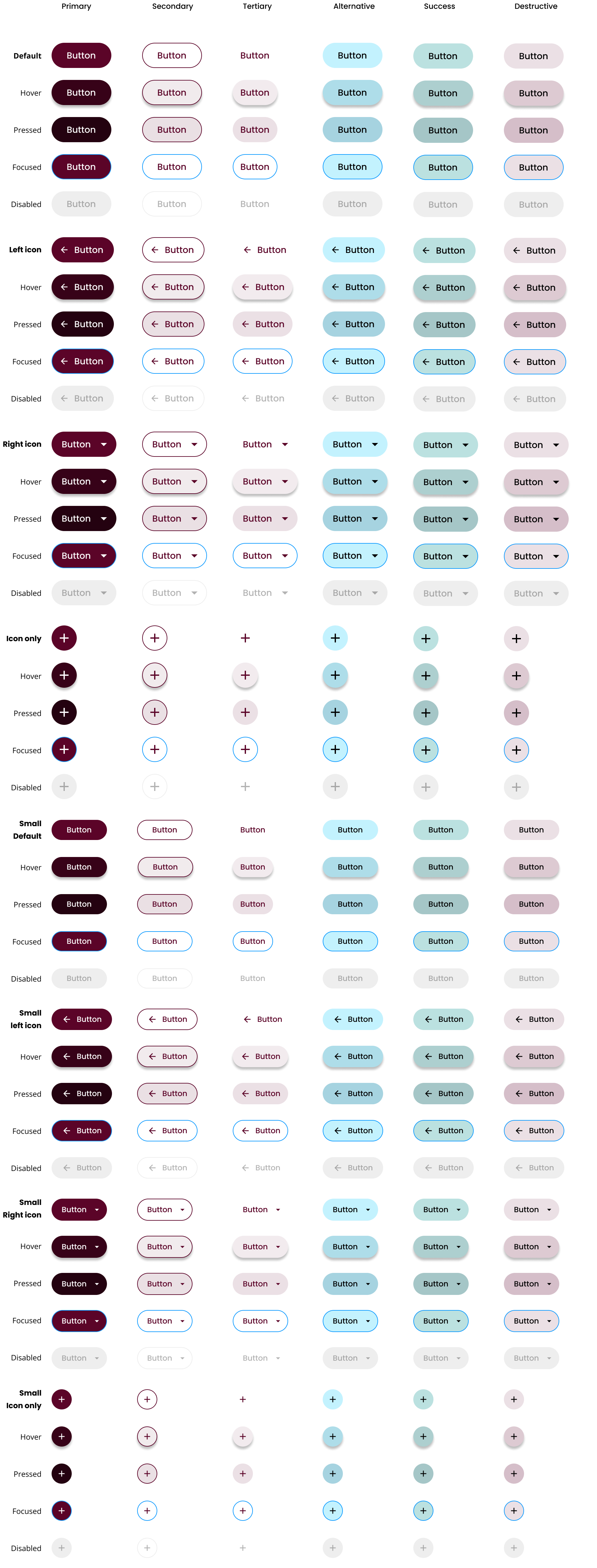
- Variations:
- Color and size tailored for application and enterprise themes.
- Primary
- Secondary
- Tertiary
- Success
- Danger
- Color and size tailored for application and enterprise themes.
/
- States:
- Disable temporarily unavailable buttons.
- Use
aria-disabledfor accessibility.
- Button Group:
- Use for exclusive actions like text alignment.
- Ensure buttons have
type="button"to prevent unintended form submissions.
- Use
role="button"orrole="link"for non-standard elements. - Ensure keyboard interaction is supported.
- Refer to the forms section for button usage in forms.
Platform:
Theme: