Experience of improving a Design System component
I’m starting this to record what I did when I started to work on improving the Table component in the design system. The hope is that this will be a useful guide for others who want to contribute changes to the Design System.
The reason I started this was that the application I was working on (Market Performance) had requirements for their tables which the Design System couldn’t meet. This meant that I had to do some design work outside the Design System to meet those needs. It seems likely to me that other applications would also benefit from those changes, so I’m intending to push those changes back into the design system.
There are also some design choices in the Design System which I felt made the Tables in the Design System harder to use than they needed to be.
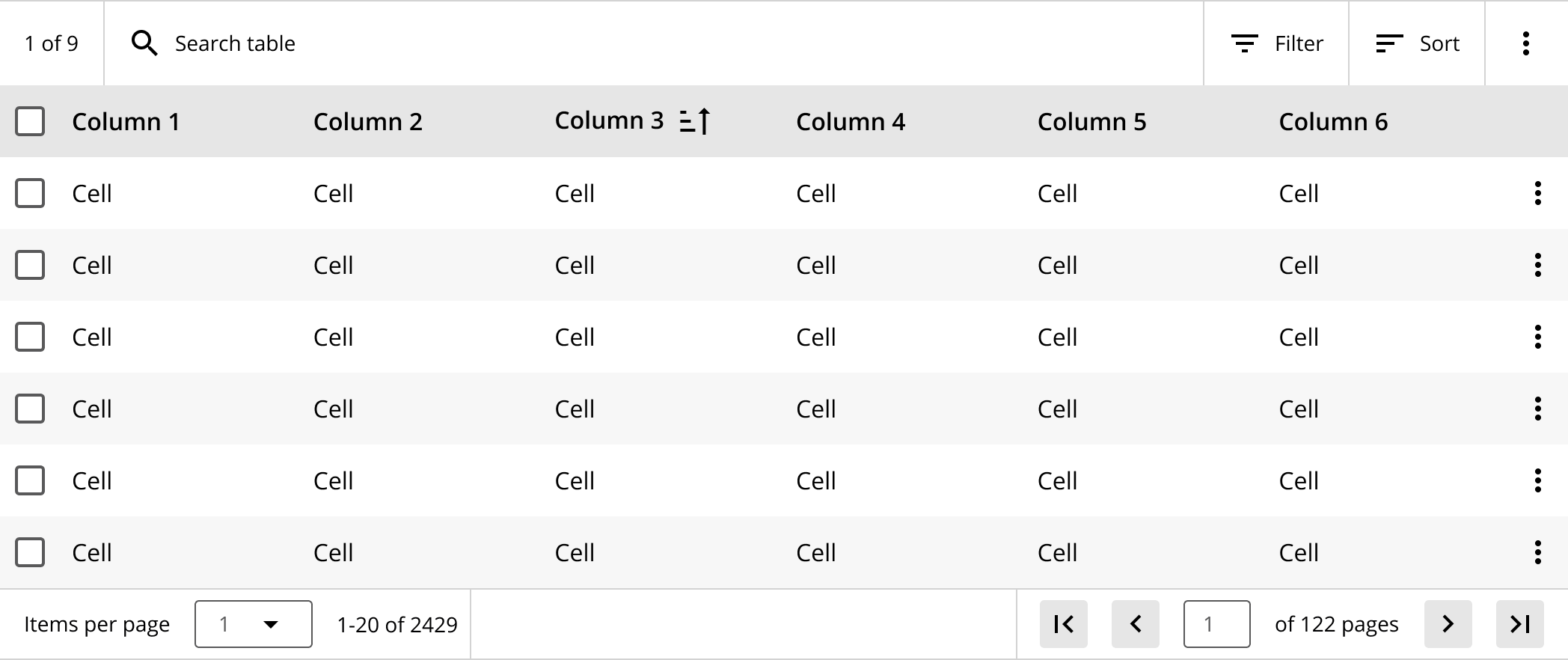 Design System table component, before improvements
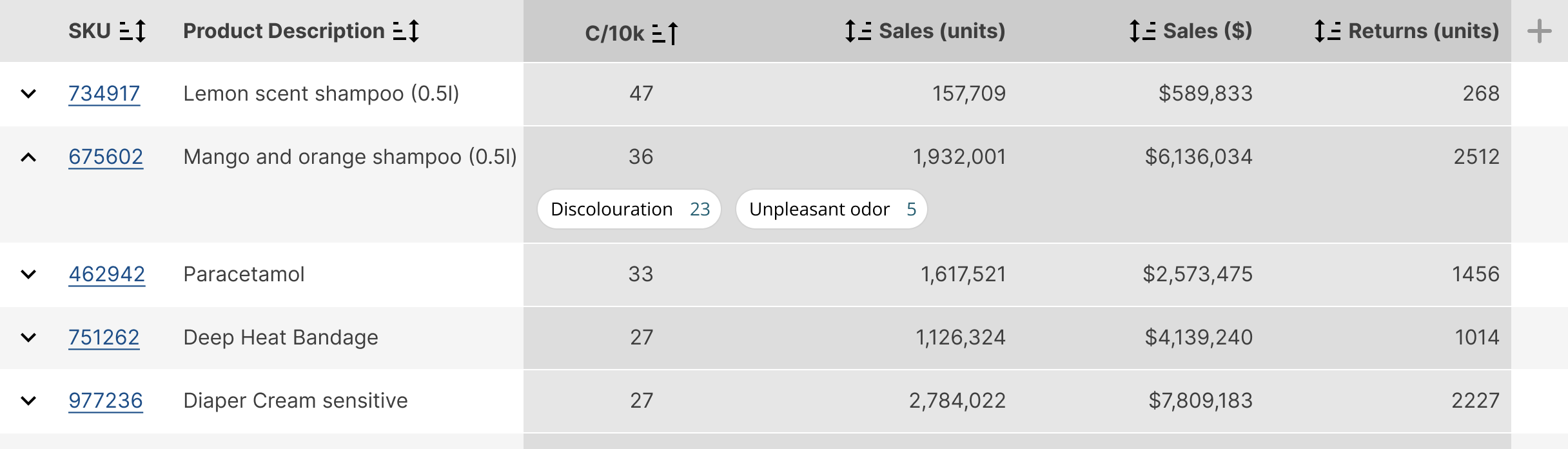 Figure 1: In header sorting controls, column groups, expandable rows, and links.
 Figure 2: Expandable rows with columns used as tabs, mini-bars for data presentation
 Figure 3: Data visualisations embedded in a table; data bars and sparklines
The current table design has a Sort button in the Toolbar, but there is no design for the dialog box which would actually control sorting.
The simplest case is just being able to sort on one column at a time. For this requirement the simplest solution is to just allow people to click/tap on the column header and to sort by that column.
The sorting indicators for columns are also not currently very clear. The icon implies small to large, but doesn’t invert when you reverse the sort order, or when the column is unsorted. The implication is also that the icon should appear on each column to show sort status. However the icons are so similar that it’s actually quite hard to work out which column is driving the sort order.
In some tables there are groups of columns which share some meaning. It’s useful to be able to indicate this visually by using some shading, similar to zebra striping of rows. Unlike rows though, this is intended to be groups of columns, not striping every column which would be visually noisy.
This requires a few more background shades.
The first required feature is to be able to expand a row to show additional information that relates to the row. That
, in a non tabular form. This might be additional information which is
For textual data we need different alignments for different types of data
- Textual - left aligned
- Numeric - right or decimal aligned
- Currency - right aligned with $/£ symbol
- Dates - TBD - there are many possible solutions here, partly depending on how you want to present dates
For numerical data, various data visualisations might also want to be embed various data visualisations, such as data bars and sparklines.
We need something more flexible, a framework for tables made up of rows, and rows made up off cells, with each being swappable for different components as needed. We also need a way to have a variable number of rows and columns in the table.