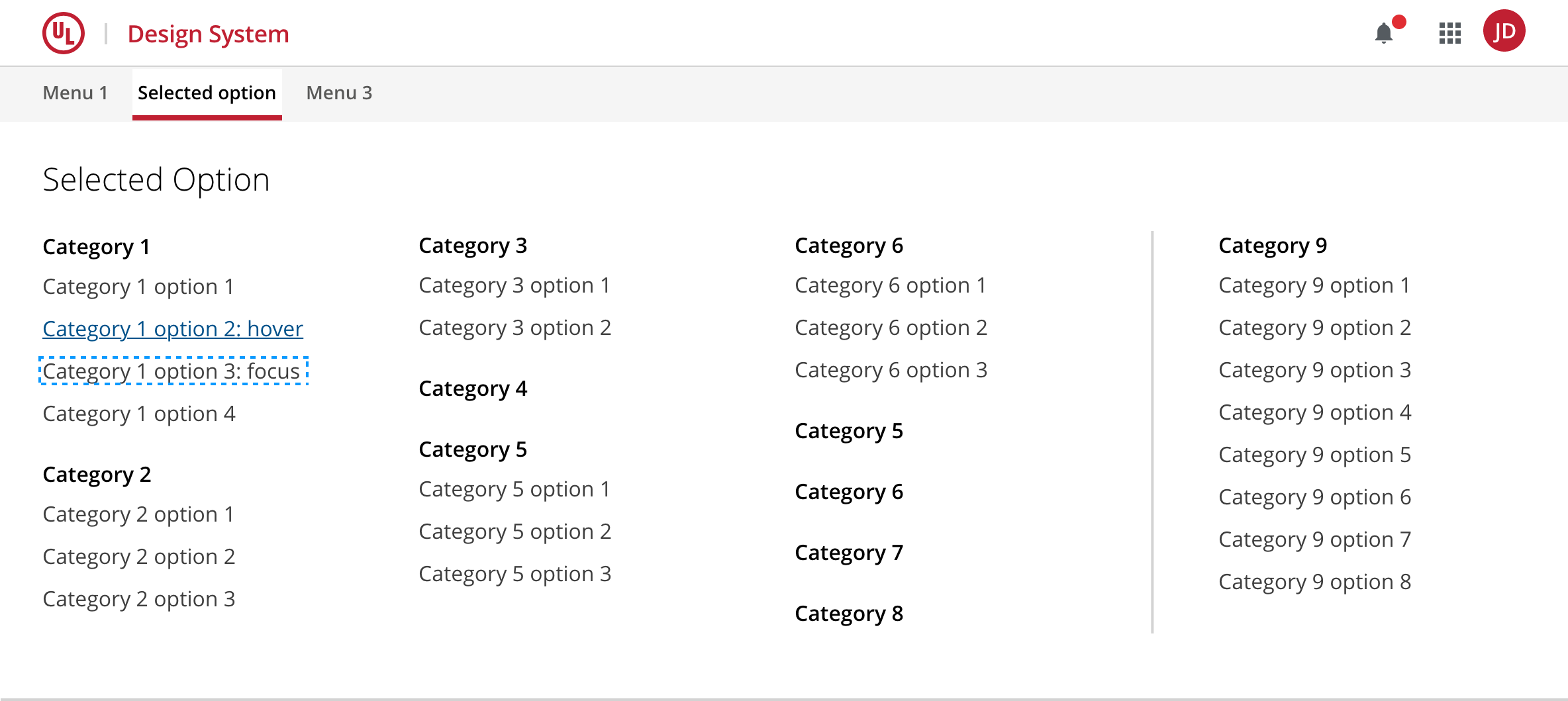
All the sections of a top-level category visible at a glance in an expandable type menu.
A mega menu is often used as a method for desktop navigation on e-commerce sites or for applications with large product/section ranges.
The use of this component presents usability challenges like responsiveness, accessibility, and cognitive load that should be avoided unless absolutely necessary.
Questions to ask before considering a mega menu:
- Does a mega menu make it easier for people to navigate around your site?
- Can your navigation challenges be better solved by using the progressive disclosure technique with two-parent menus?
- Has due diligence been done on information architecture design and data prioritization which can reduce the number of granularity in the navigation?
Consider the following recommendations for a mega menu:
- Keep mega menus simple. Avoid adding multi-click interactions.
- Group mega menu options together into related sets.
- Keep groups to a minimum in order to minimize the level of granularity of the menu.
- Use concise, descriptive labels for each group and item.
- More does not mean better. Do not add options to the menu unless they add real value.
- Respect spacing rules. The ability to easily scan/read a mega menu is crucial.
- Avoid scrolling in the menu.
- Create different layouts for each top-level section tailored to its content.
- Follow the design system's triggering recommendation.
- Consider responsive design for mobile devices.
- Keep screen readers and accessibility requirements in mind.
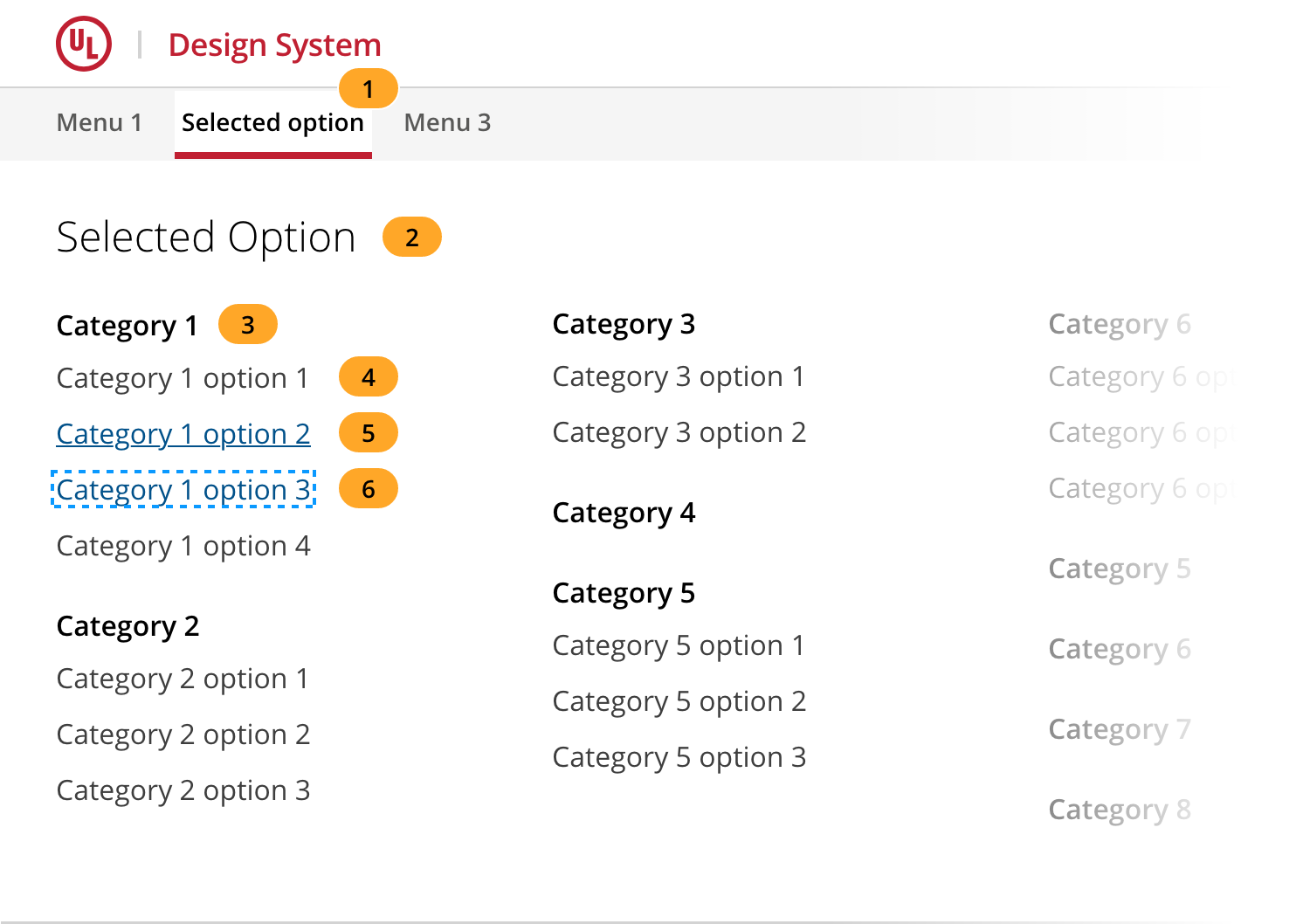
- Trigger and dismiss menu item
- Top-level title
- Group title
- Group link item
- Link item hover
- Link item focused
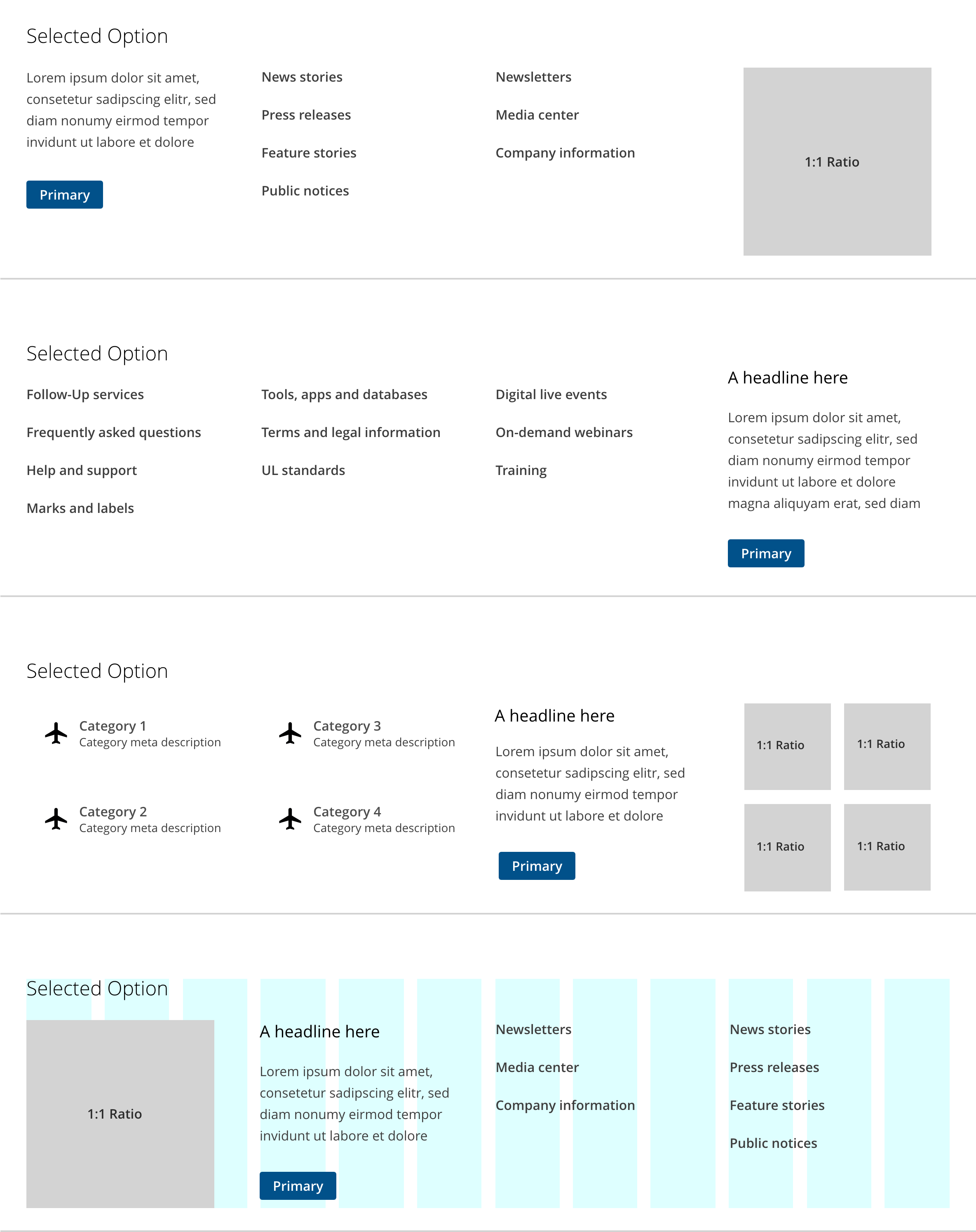
The mega menu layout may be tailored to each top-level section. You may choose a different layout for one section compared to another. Some sections may have a varying number of items that can benefit from adding images or including a specific call to action. Organize your menu in any way that optimizes organization and scannability.
Use the grid system to create the layout that best accommodates your data.
The mega menu should always be triggered by a top-level item in the main header navigation and always following a simple mouse click or tap.
The menu is dismissed by clicking or tapping on the trigger or by clicking or tapping outside of its container.
After triggering the mega menu, the focus should stay on the triggering item, from there you may implement the following keys to navigate through the menu.
| Key | Action |
TAB + DOWN ARROW |
Change focus to the next group item in the order |
UP ARROW |
Changes focus on the previous group item in the order |
RIGHT ARROW |
Changes focus to the next group title |
LEFT ARROW |
Changes focus to the previous group title |
ENTER |
Navigate to the focused link |
ESC |
Collapse the mega menu |
All links listed in a mega menu component should be site-level links as opposed to page-level links.
As part of the top header navigation, the mega menu should have the top index position on the page superseded only by overlay elements such as modals, overlay sidebars, and drawers.
The mega menu may occupy up to half the height of the page or expand to full height if deemed necessary to properly fit its contents. Under no circumstances should the user have to scroll the mega menu to reach navigation items.
Truncation of any group title or group link item is not recommended. Use concise descriptive labels for each group title and link item on your menu.
Scrolling on the mega menu container is not recommended.
Mega menus can cause accessibility issues with screen readers, especially for users with low vision who see a screen zoom tool to view your website. For this reason, it is recommended that you simplify accessibility to your site sections by making each top-level menu choice clickable, leading to a regular page where you present all the mega menu options in plain, fully accessible HTML.
Consider the following for accessibility:
- Use keyboard navigation guidelines described in «Keyboard navigation», modeled after the behavior described in the WAI-ARIA Menu or Menu bar design pattern.
- Model the accessibility of the mega menu using WAI-ARIA roles, states, and properties described in the WAI-ARIA Menu or Menu bar design pattern.
Mega menus are considered a good option for desktop sites but are often inappropriate on mobile devices. Many times they don't display correctly because of rendering issues and, on other occasions, they simply take up too much screen real state to be useful.
Consider the following guidelines for responsiveness:
- Prefer making each top-level menu choice clickable, leading to a regular web page where you present all the mega menu options in plain, fully responsive HTML.
- Always use the grid system in the mega menu content to create your layout.
- Smaller desktop and table viewports may rely on the grid system to accommodate your mega menu's content.
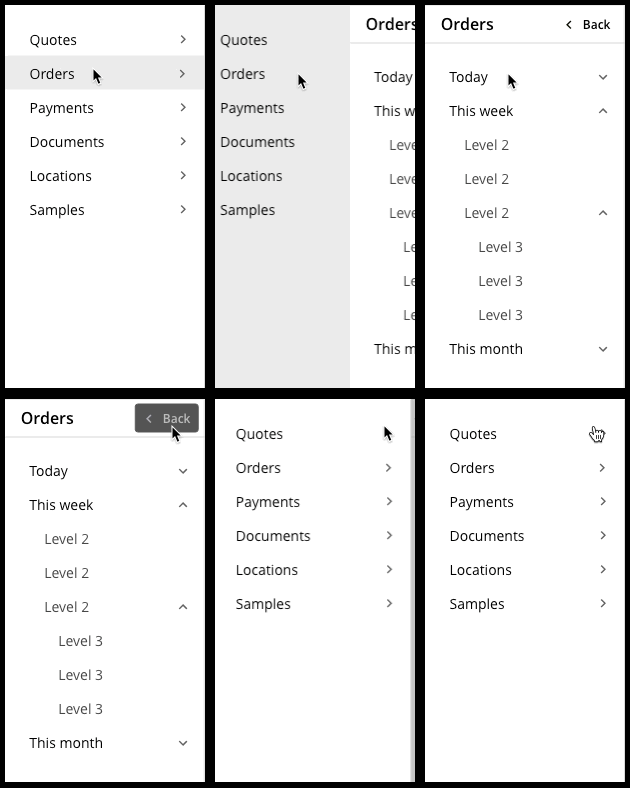
- Smaller tablet and mobile viewports should follow the mobile layout recommendations and use the mobile mega menu option.
Mobile mega menu
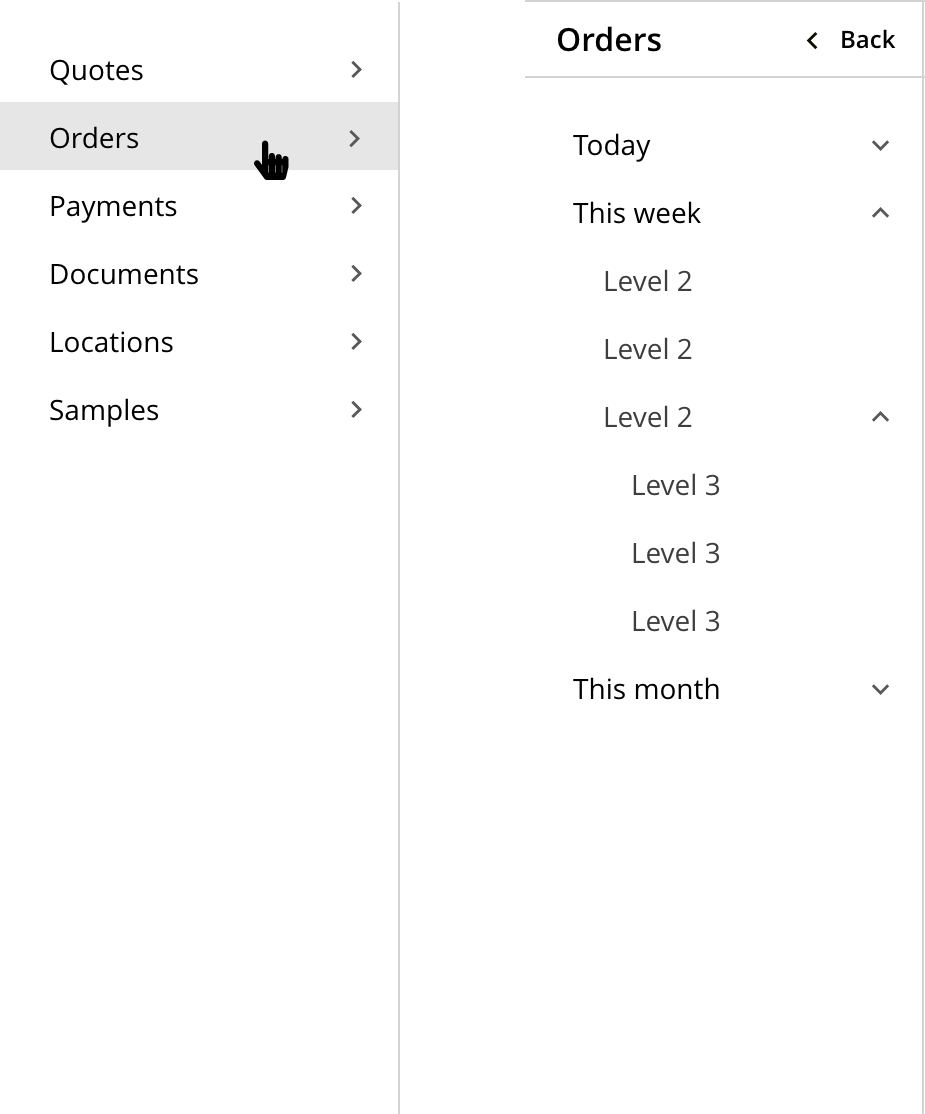
Mobile mega menu behavior
We would like to get your feedback. Tell us how you use this component in your projects and how we can improve it.