System and action messages for the user
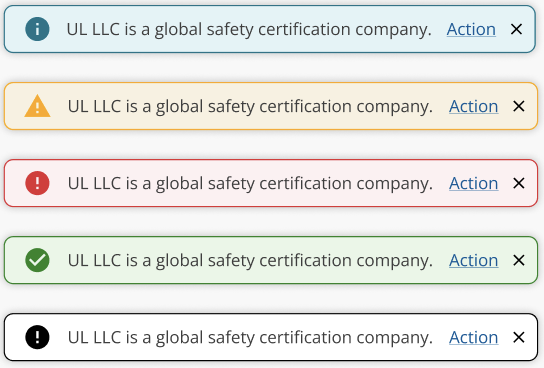
Providing clear communication and feedback to users is crucial for building confidence and trust.
Limit notifications, use sparingly, and ensure purpose is clear.
See "When to Use" / "When Not to Use" to differentiate between the different alert types.
Toasts typically appear with animation near the top-right of the screen, but this does not have to be the case. Toasts also automatically dismiss themselves, typically after a few seconds, to prevent the screen becoming cluttered with old alerts.
- Writing & Tone: Limit to 200 characters; use noun + verb pattern; address users directly with "we," "our," and "you".
- Positioning of toasts on screen
- Toast: Low priority, non-critical task/system-level alerts.
- Use For: System status, validation messages, event notifications.
- Avoid using alerts for non-critical information that can be conveyed through other UI elements.
- Avoid: Inline validation alerts on forms.
- Don't rely on toasts to warn of issues which might cause users to lose work or indicate something of critical importance.
- Elements:
- Accent: Notification color.
- Icon: Notification icon.
- Label: Descriptive text or title.
- Action: Optional user action.
- Dismiss: Dismiss button.
- Trigger & Dismissal:
- Toast: Auto-expiring, non-disruptive.
- If there are multiple concurrent toasts, they appear in a stack, with the most recent at the top, pushing older toasts down.
- Toasts dismiss in order of appearance.
- Toast: Positioned above page content; default timing of 6 seconds, 10 seconds with link/action; disappears on navigation.
- WAI-ARIA:
- Use
role='alert'for non-interruptive messages. - Use
role='alertdialog'for interruptive messages. - Use
aria-hidden='true'to hide from screen readers if needed. - Expose non-button tags as buttons with appropriate ARIA attributes.
- Use
- Modals
- Popovers