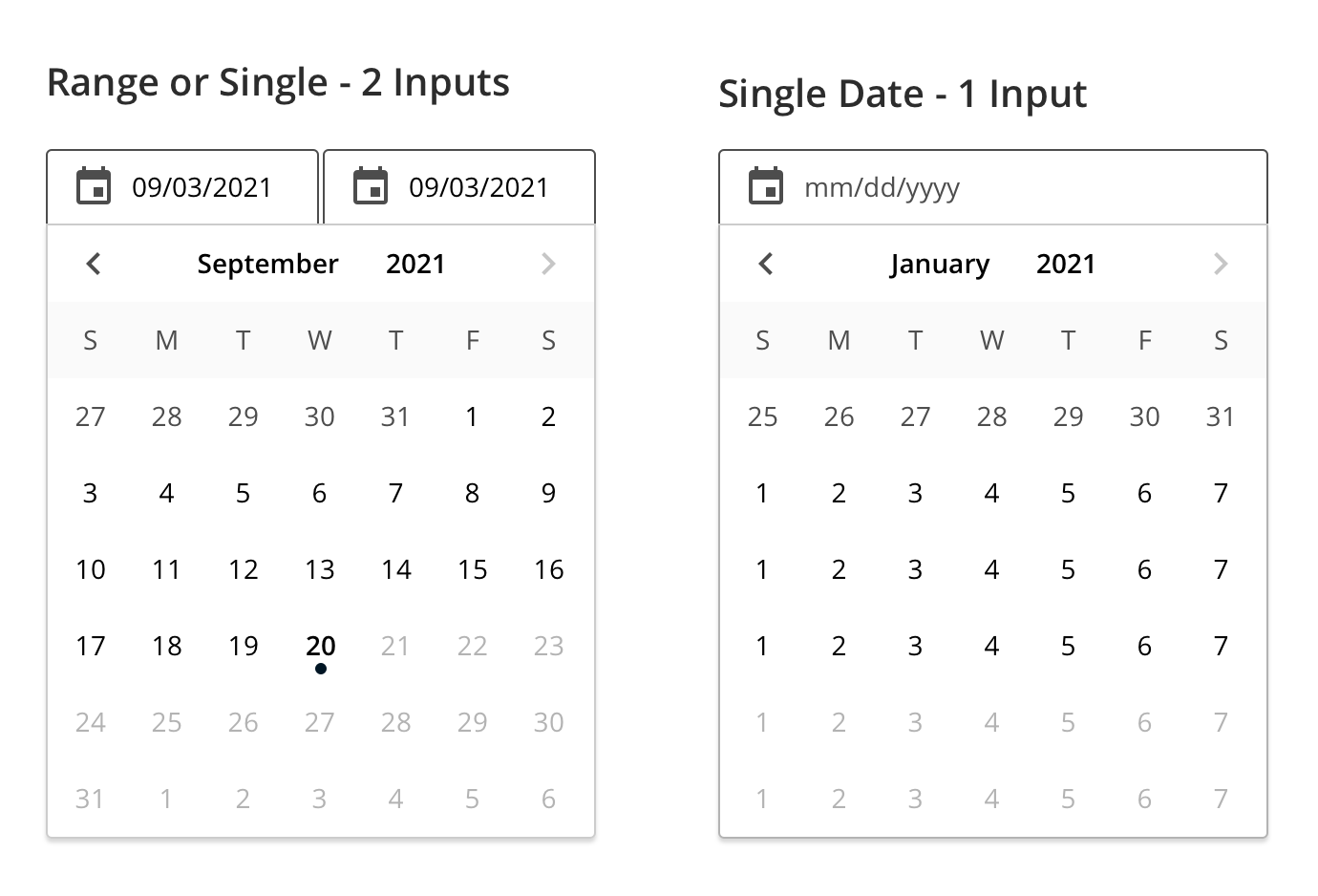
A date picker allows a user to select a single or a range of dates.
Datepickers allow the selection of a specific date and year or a range. They consist of:
- A date input (a form input field and an icon)
- A date or date range pickers (navigate and select dates from a calendar)
On mobile, date pickers adapt to the screen’s width and orientation and they occupy the entire width of the screen.
On desktop, the date picker may display one calendar dropdown or two months, side by side.
Recommendation:
Accommodate date display based on locale determined by user's set preferences or user's current choice in the UI.
USA and a few US territories are the only in the world using primarily the mm/dd/yyyy notation. The rest of the world uses dd/mm/yyyy (Europe, South America) or yyyy/mm/dd in most of Asia.** The international standard *yyyy/mm/dd* / ISO 8601 has been adopted in most countries.

There are two sizes: medium (default) and small.
The date picker appears when:
- The respective date input is in focus.
- The calendar icon is clicked.
The component disappears when:
- Clicking or tapping away from it.
- Clicking on the calendar icon.
- A date is selected.
When entering a single date, clicking or tapping on a day updates the input and closes the date picker.
When entering a date range:
- Clicking or tapping on the first day marks it as selected.
- Hovering over a future day highlights that day and the whole range of days in between.
- Clicking or tapping on the second day marks it as selected and closes the date picker.
Within the calendar, both month and year are selection boxes that open upon clicking on them.
Date selection keyboard support
| Space, Enter | Selects the focused date, closes the calendar, and moves focus back to the input field. |
| Left | Moves focus to the previous day. |
| Right | Moves focus to the next day. |
| Up | Moves focus to the previous week, the same day of the week. |
| Down | Moves focus to the next week, the same day of the week. |
| Home | Moves focus to today’s day. |
| Page Up | Shows the previous month and focuses on the same day of the month. |
| Shift + Page Up | Shows the same month in the previous year and focuses on the same day of the month. |
| Page Down | Shows the next month and focuses on the same day of the month. |
| Shift + Page down | Shows the same month in the next year and focuses on the same day of the month. |
Always default to the small date picker on smaller displays. Prefer a mobile-native date picker for mobile applications.
We would like to get your feedback. Tell us how you use this component in your projects and how we can improve it.