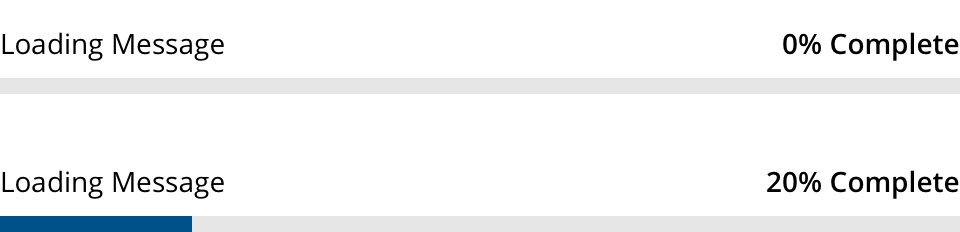
Inform the user that the system is working and making progress with a loading/progress pattern.
Good design is about reducing user uncertainty. A progress bar provides meaningful information about the system's status, which allows the user to feel more in control of his/her current activity.
- Use a progress/loading indicator if a process takes longer than 3-5 seconds to complete;
- Use the appropriate indicator for the particular process;
- Provide a general time estimate for longer tasks;
- Move progress bars instantly and steadily;
- Explain what the user is waiting for.
- When an action takes less than 1 second to interact with the system;
- On multiple places asynchronously;
- For every page load.
When creating loading messages, use “we,” “our” and “you” to create a sense that you are speaking directly to your customers.
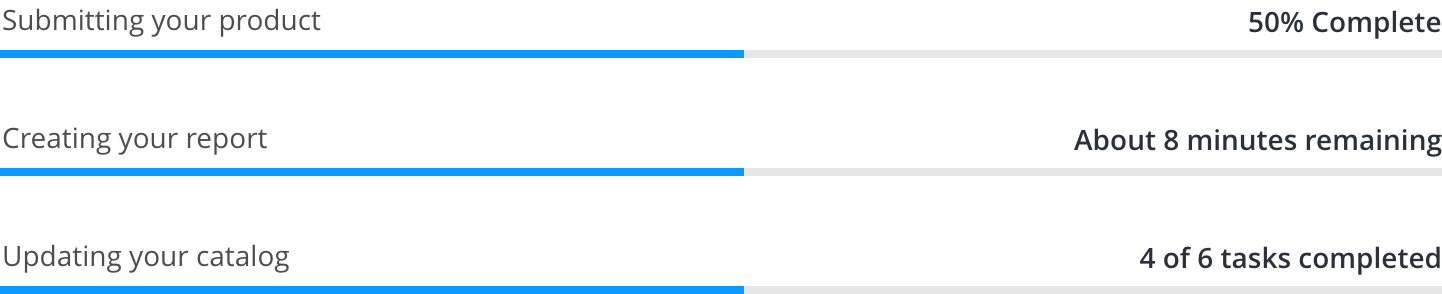
This type of indicator displays how long a process will take. Use when it is possible to detect its completion rate.
3 message types can be used depending on the process:
- A percentage;
- An estimated time;
- Completed tasks.
This type of indicator illustrates an unspecified amount of wait time. Use on short, indeterminate activities, usually around 2–5 seconds, when it is not possible to predict their completion rate.
Bar

Spinner

A step progress indicator shows the user their location along with the steps of a process.

 Bottom section of the steps.
- Consult the WCAG documentation for Notification of Loading/Busy;
- Screen readers should be able to notify a user of a loading process.
We would like to get your feedback. Tell us how you use this component in your projects and how we can improve it.