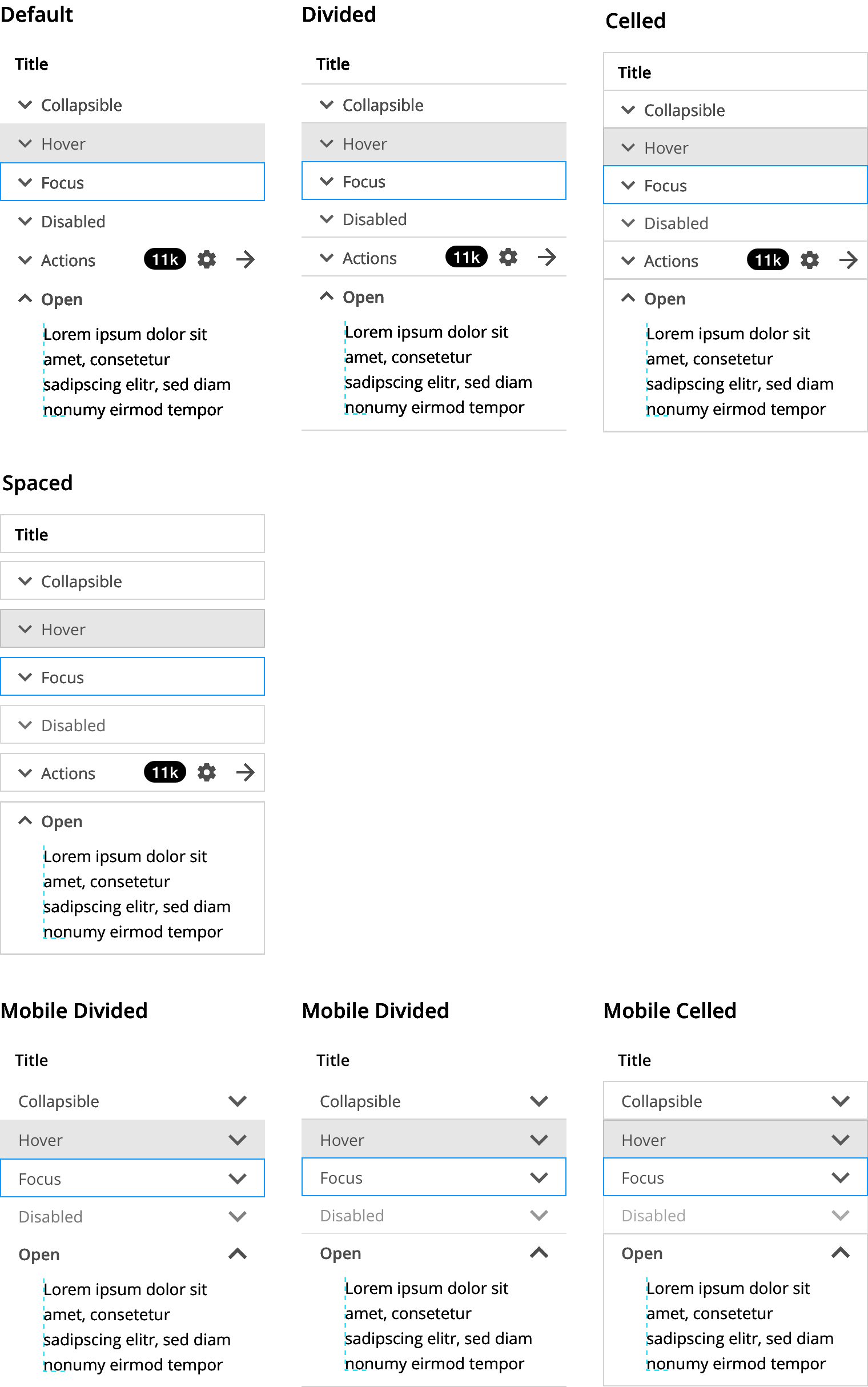
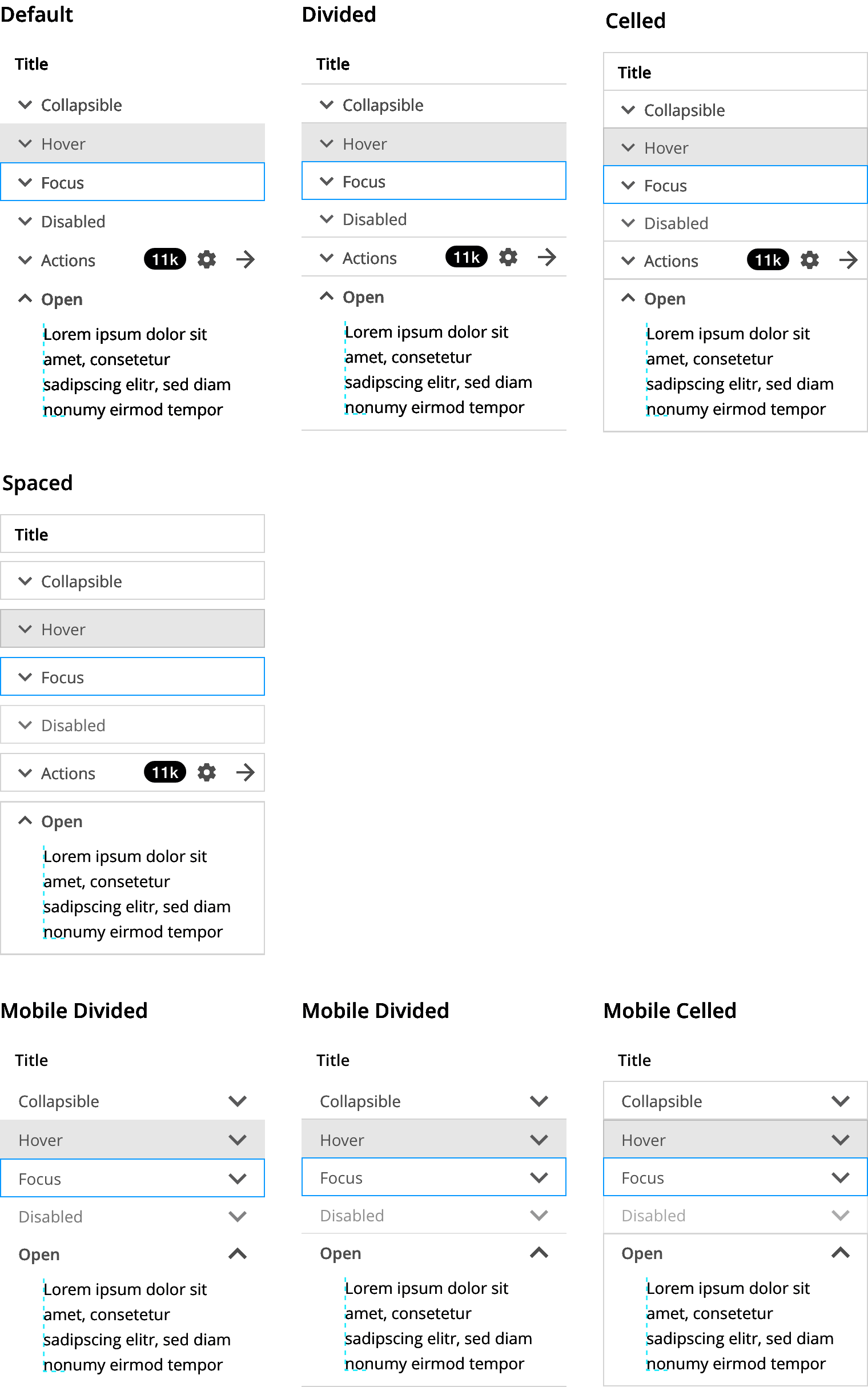
An expandable inline section on a page to progressively disclose information.
A collapsible is a container with a header and a content panel that can be expanded and collapsed to reveal more information or actions. Collapsible sections can be grouped to create an accordion or used individually.
Collapsible sections:
- Minimize initial page scrolling.
- Expose the information architecture of the page making it easier for users to quickly scan its contents.
- Reduce cognitive load by making the page seem less daunting.
- Can help keep the user focused by using them instead of within-page links.
- Overuse of this component can be cumbersome to the user as users may have to click on too many headings to get to the information they need.
- Important or relative-to-task information should not be included inside a collapsible.
- The use of these components comes at an extra coding cost because of accessibility requirements.
- Avoid using for summary or report pages, or remember to create a for-print version.
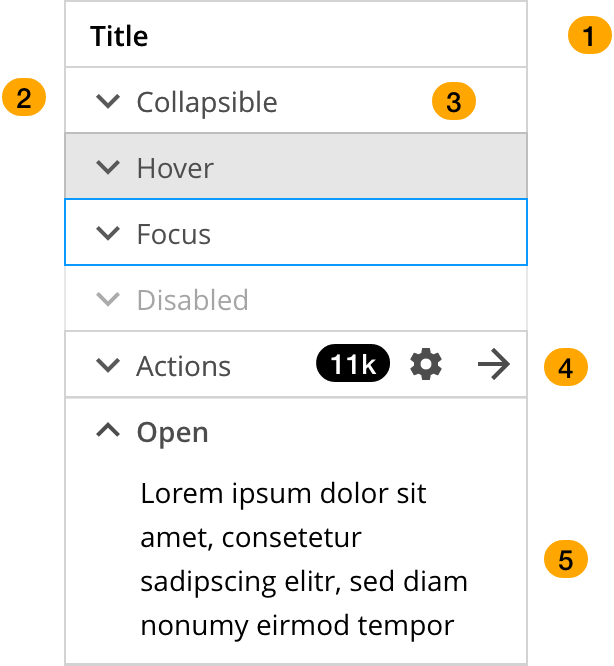
- Title.
- Collapse/expand icon.
- Click target.
- Actions.
- Content panel
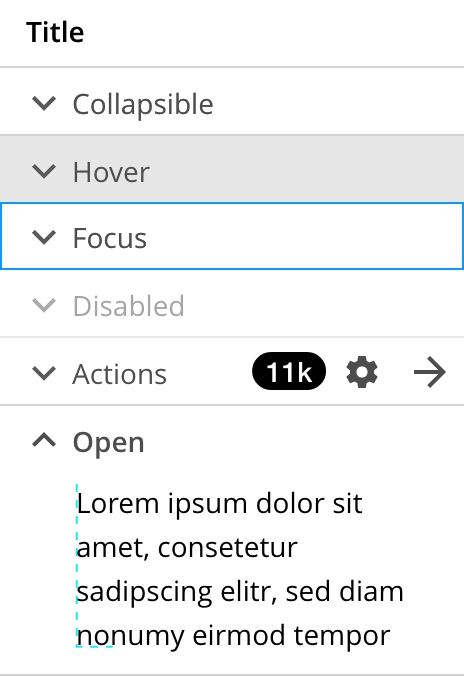
| Desktop | Mobile |
|---|---|
| Designed for larger screens, desktop collapsible sections have the expand icon to the left allowing for quicker recognition and action. | Collapsible sections for mobile have a larger tap target and the expand icon is on the right, this prevents the user's view to be obstructed by his/her hand when making selections. |
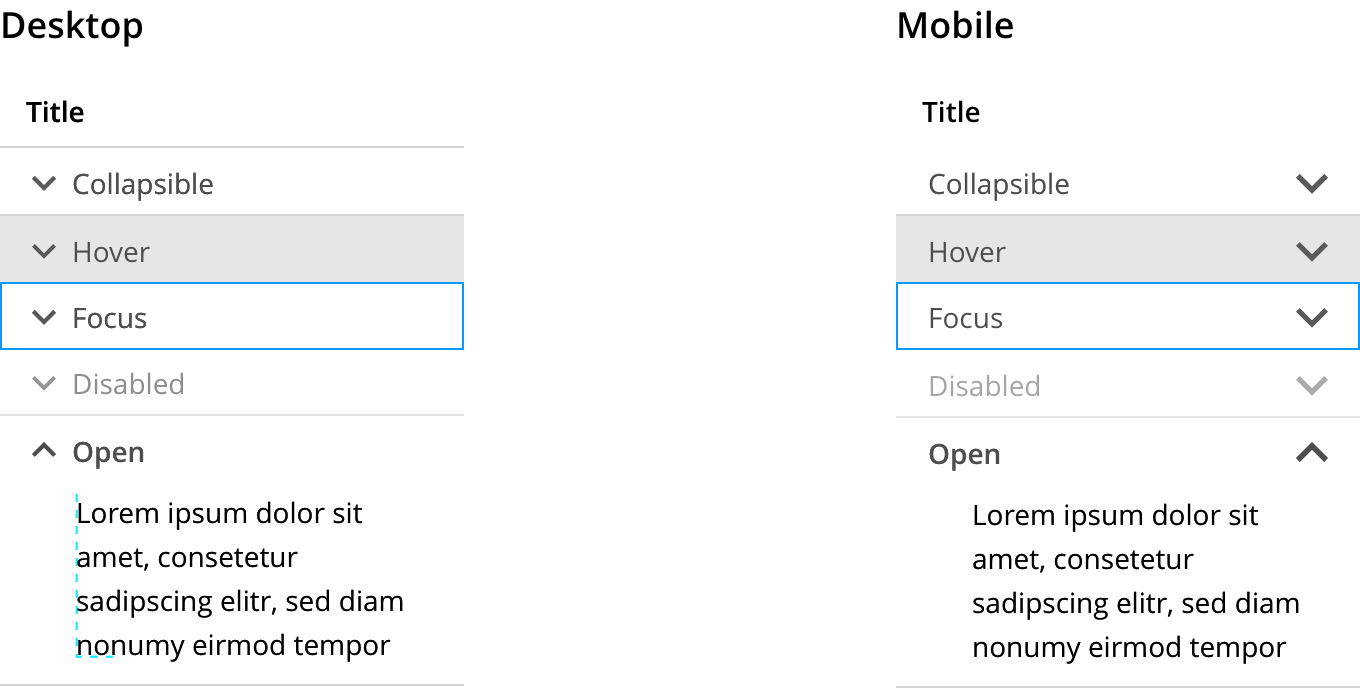
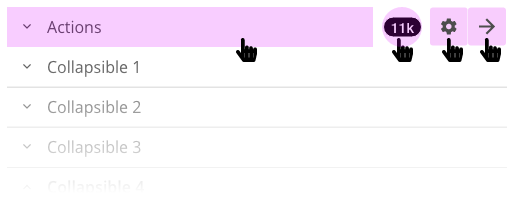
Clicking on the title expands and collapses the collapsible panel, except when there are additional actions to the right.
When a header title contains additional actions, the click targets are as follows:
The content of these collapsible containers should always be short and loaded with the document, but if they need to be loaded dynamically, like in a lazy load, a spinner can be added to indicate a response.

In the case mentioned above where the content of the collapsible panel is loaded dynamically, there may be a case where data fails to load. In that case, opt to show the user an error message using a toast notification.
| Key | Function |
|---|---|
| Enter | When focus is on a header of a collapsed section, expands the section |
| Tab | Moves focus to the next focusable element.All focusable elements in the collapsible panel are included on the page Tab sequence. |
| Shift + Tab | Moves focus to the previous focusable element.All focusable elements in the collapsible panel are included on the page Tab sequence. |
| Down arrow | When focus is on a header, moves focus to the next header.When focus is on the last header, moves focus to the first header. |
| Up arrow | When focus is on a header, moves focus to the previous accordion header.When focus is on the first header, moves focus to the last accordion header. |
Grouping many collapsible sections together can create an accordion. It is not recommended to use an accordion that only allows 1 section to be open at a time.
Collapsible sections grouped into an accordion are more acceptable when individuals on a single page require just a few main pieces of content. Users may spend their time more easily focusing on the few topics that matter by hiding most of the content. For this reason, plan your IA so your page is scannable and the most relevant information is presented first.
- Avoid placing collapsible elements at the end of a page with insufficient margin space to allow the expanded panel to be seen correctly.
- Avoid moving the expanded section to the top of the screen to maximize viewing of the accordion content. This can disorient users and cause them to think they have navigated to a new page.
Header titles should be short and scannable. Avoid long titles. Instead of truncating, use word wrapping.
Scrolling within a collapsible panel should be considered carefully. If the information displayed in the panel is too long, consider offering a quick summary and a link to another page, or using tabs instead.
On mobile devices, however scrolling may be necessary to view all the data in an expanded panel, in this case, in a group of collapsible sections, consider making the group sticky so the user can easily collapse the panel without getting lost in the page.
- The title of each accordion header is contained in an element with role button.
- Each accordion header
buttonis wrapped in an element with role heading that has a value set for aria-level that is appropriate for the information architecture of the page.- If the native host language has an element with an implicit
headingandaria-level, such as an HTML heading tag, a native host language element may be used. - The
buttonelement is the only element inside theheadingelement. That is, if there are other visually persistent elements, they are not included inside theheadingelement.
- If the native host language has an element with an implicit
- If the accordion panel associated with an accordion header is visible, the header
buttonelement has aria-expanded set totrue. If the panel is not visible, aria-expanded is set tofalse. - The accordion header
buttonelement has aria-controls set to the ID of the element containing the accordion panel content. - If the accordion panel associated with an accordion header is visible, and if the accordion does not permit the panel to be collapsed, the header
buttonelement has aria-disabled set totrue. - Optionally, each element that serves as a container for panel content has role region and aria-labelledby with a value that refers to the button that controls display of the panel.
- Avoid using the
regionrole in circumstances that create landmark region proliferation, e.g., in an accordion that contains more than approximately 6 panels that can be expanded at the same time. - Role
regionis especially helpful to the perception of structure by screen reader users when panels contain heading elements or a nested accordion.
- Avoid using the
Collapsible sections are a good way of compressing information and making a page quicker to read and understand. In mobile devices, they work especially well to that effect on the reduced viewport. Always include the mobile variation of the component to ensure proper usability. On longer viewports, consider transforming a collapsible element group (accordion) into tabs.
We would like to get your feedback. Tell us how you use this component in your projects and how we can improve it.