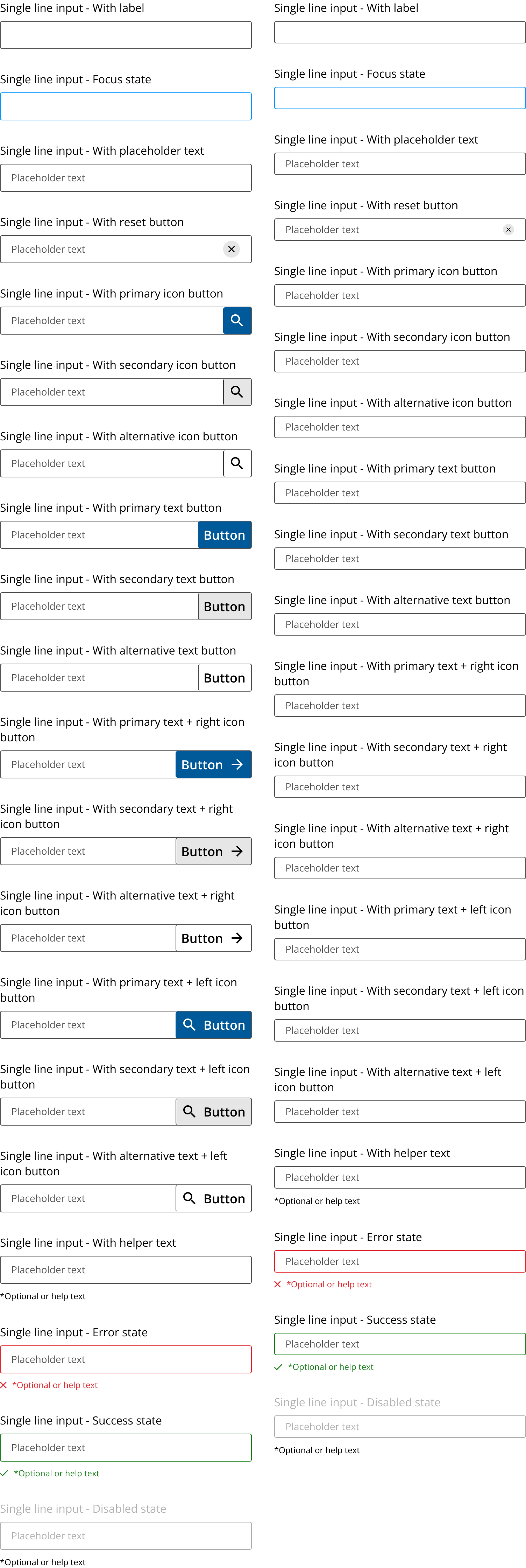
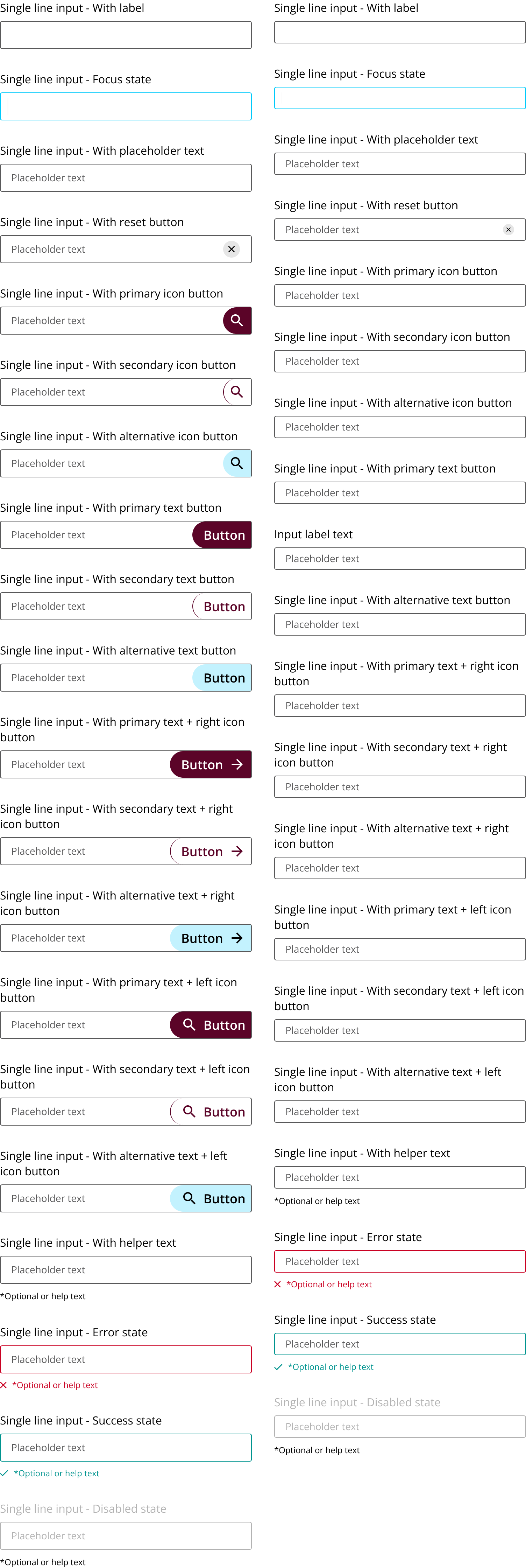
Allows the user to capture input in a single line field

A single line input component allows the user to capture input in a single line field. Single line inputs support various states and configurations including helper text, icons, and buttons.
- Implement: Use
<input type="text">for basic setup. - Configure: Add attributes for placeholder, label, and helper text.
- Style: Apply CSS for visual states like focus, error, and disabled.
- Short Inputs: Ideal for capturing short, single-line text entries.
- Forms: Use in forms where quick text input is required.
- Multi-line Text: Avoid for inputs requiring more than one line.
- Complex Inputs: Not suitable for inputs needing rich text or formatting.
- Label: Describes the input field.
- Input Field: Area where users enter text.
- Helper Text: Provides additional guidance.
- Placeholder Text: Suggests expected input.
- Icons/Buttons: Optional, for additional actions.
- Focus: Highlights input field when active.
- Validation: Displays error or success states based on input.
- Disabled: Grays out input, preventing interaction.
- Typing: Captures user input.
- Clicking: Activates focus state.
- Tabbing: Navigates through form fields.
- Labels: Ensure all inputs have associated labels.
- ARIA Attributes: Use
aria-invalidfor error states. - Keyboard Navigation: Ensure full functionality via keyboard.
- Helper Text: Provides context or instructions.
- Label: Identifies the input purpose.
- Icon Buttons: Offer additional actions (e.g., clear input).
- Spinner: Indicates loading or processing state.
- Success/Error States: Provide feedback on input validity.