Use pagination to divide content and present it in a limited and digestible manner.
Structure and hierarchy are important when it comes to reducing content complexity and improving readability. Use pagination to divide content and present it in a limited and digestible manner.
- Use pagination to divide a site or application with many pages;
- Use pagination to limit the number of records displayed by a page or table;
- Combine pagination to divide into pages and records;
- Always place the pagination component in the same place.

- Items per page label;
- Select items to display per page;
- Items showing label (optional);
- First-page button;
- Previous page button;
- Selected page indicator;
- Page count label;
- Next page button;
- Last page button;
The loading sequence after using the pagination component to navigate to another page should follow the pattern for loading full pages or screens.
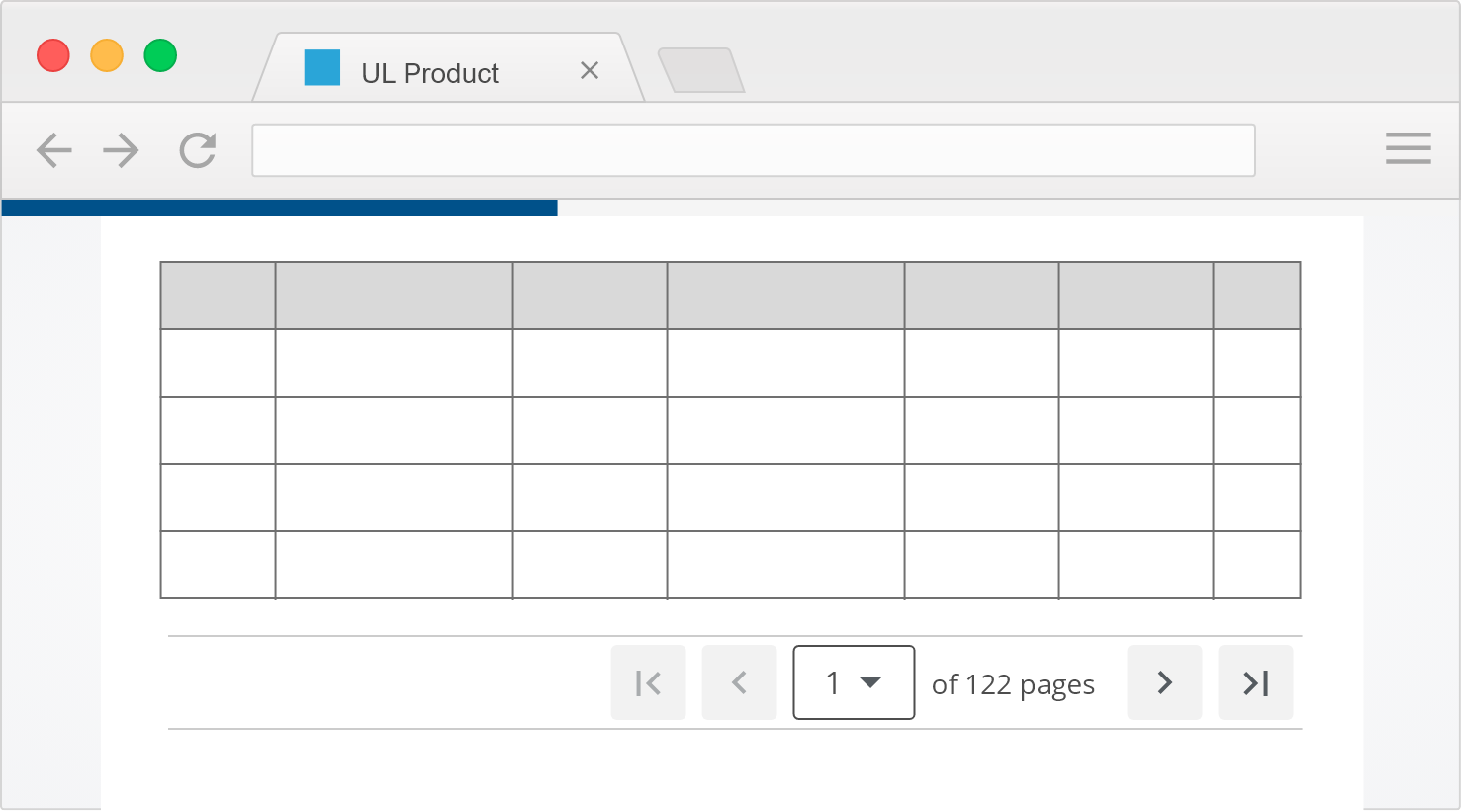
The loading sequence after using the pagination component to display items on a table or container should follow the pattern for loading content on a container.
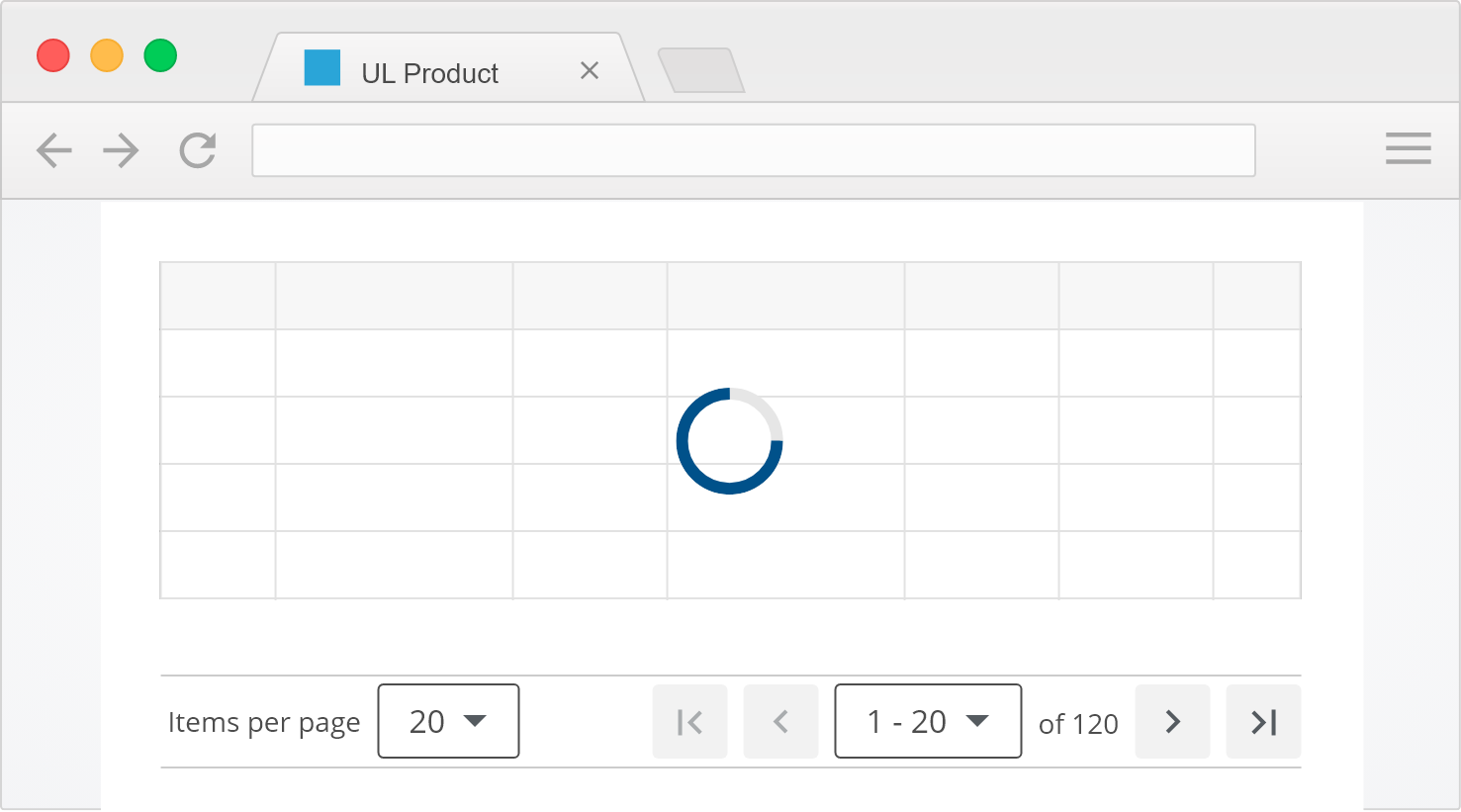
See the progress indicator page for more on loading patterns
The pagination component should always be placed immediately adjacent to the content being paginated.
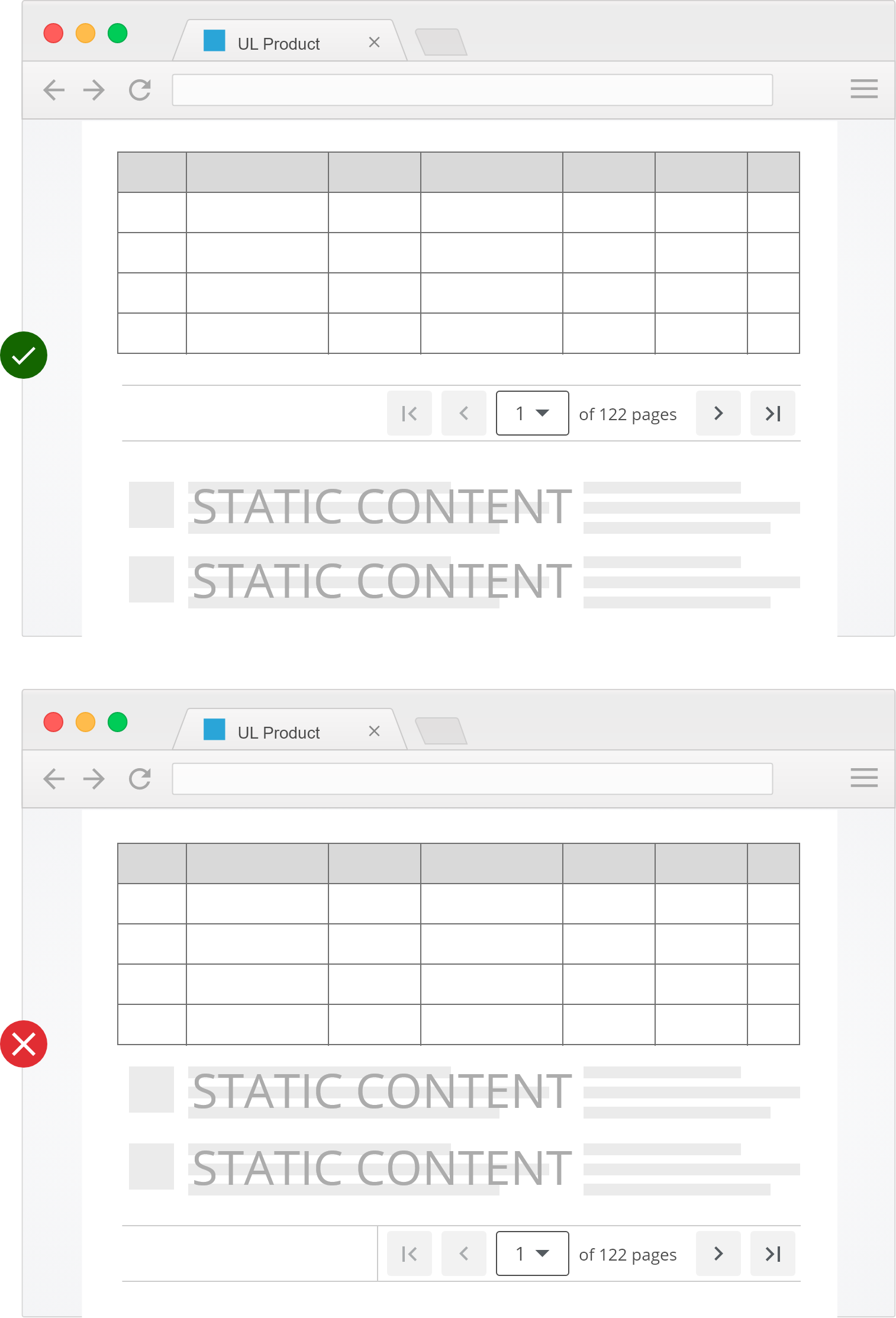
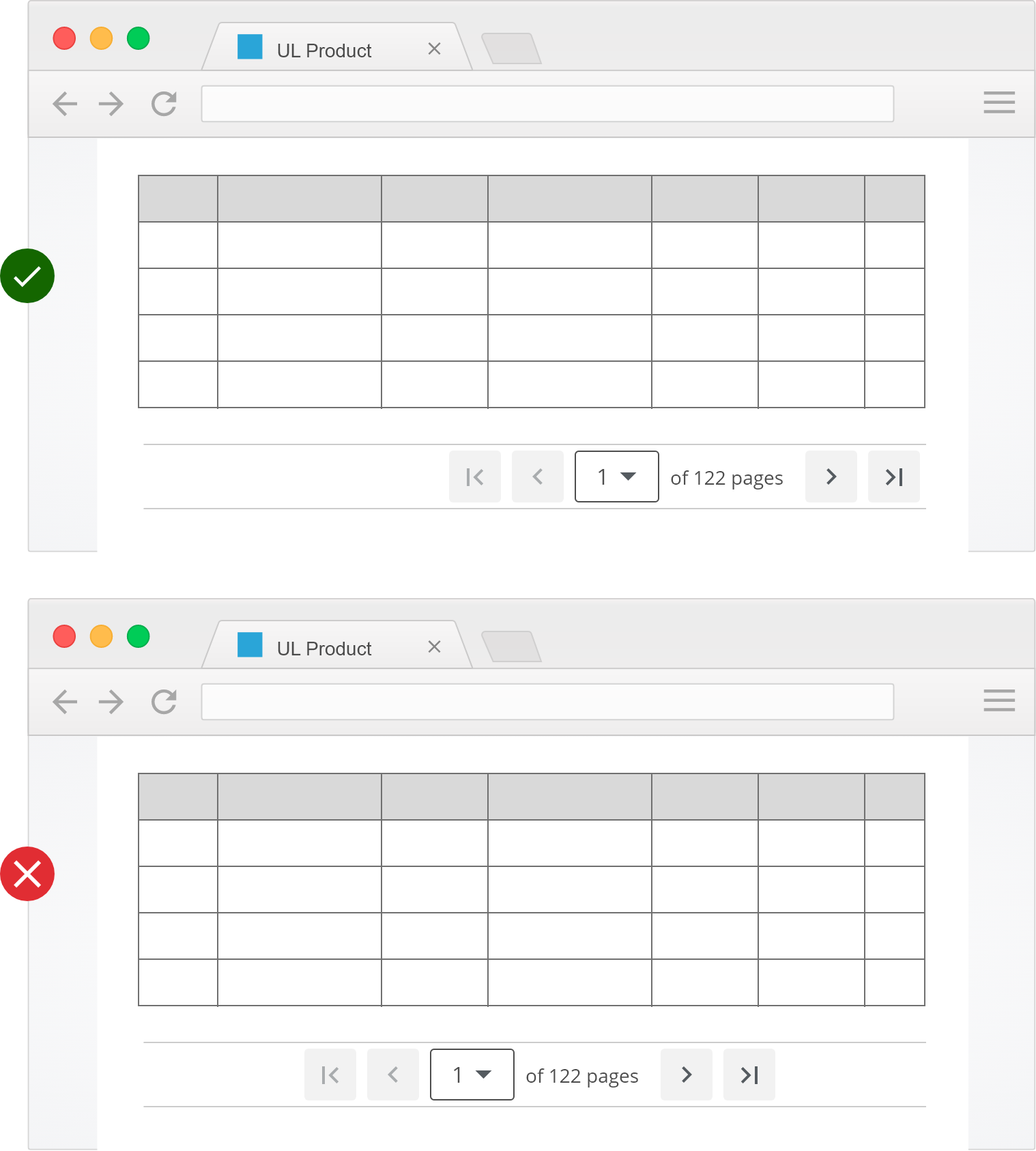
Keep the position of the pagination consistent throughout to improve usability.
- Wrap the pagination links in a
navelement; - Add
role=navigationandaria-label="Go to Page 1"for each link; - Add
aria-label="Page 2, Current page"andaria-currentto indicate the current page; - Pagination should be able to be used with a keyboard;
- Screen readers should recognize pagination navigation;
- Follow the ARIA Landmark example.
For screens or containers 576px wide or less, remove the Items per page control.

- Buttons
- Dropdowns
- Loading / Progress indicators
- Tables
We would like to get your feedback. Tell us how you use this component in your projects and how we can improve it.

Feature: Pagination Background: In a listings page Given that I'm in a listing
      page Scenario: First page When I select the first page Then that button becomes
      disabled And the "previous" button becomes disabled Scenario: Last page When I
      select the last page Then that button becomes disabled And the "next" button
      becomes disabled Scenario Outline: Amount of pages Given that my listing has a
      total of
      <total>
        records And I'm on the first page When I choose
        <per-page>
          items per page Then I get a page count of
          <page-count>
            And I see the a floor-ceiling value of
            <floor-ceiling>
              Examples: | total | per-page | page-count | floor-ceiling | | 100 | 20 |
              5 | 1-20 | | 100 | 50 | 2 | 1-50 | | 100 | 100 | 1 | 1-100 | | 100 | 200
              | 1 | 1-100 |</floor-ceiling
            ></page-count
          ></per-page
        ></total
      >